Hi,
I remember that I saw somewhere a CSS code to replace the buttons, but i don’t remember now.
My idea is to add my own button graphic (idle/hover) done in Photoshop and call it through CSS.
How can I achieve it?
Thank you
Hi,
I remember that I saw somewhere a CSS code to replace the buttons, but i don’t remember now.
My idea is to add my own button graphic (idle/hover) done in Photoshop and call it through CSS.
How can I achieve it?
Thank you
Hi There,
Thanks for writing in!
If you want to change the background color your custom image, then please give a custom class name to the button.
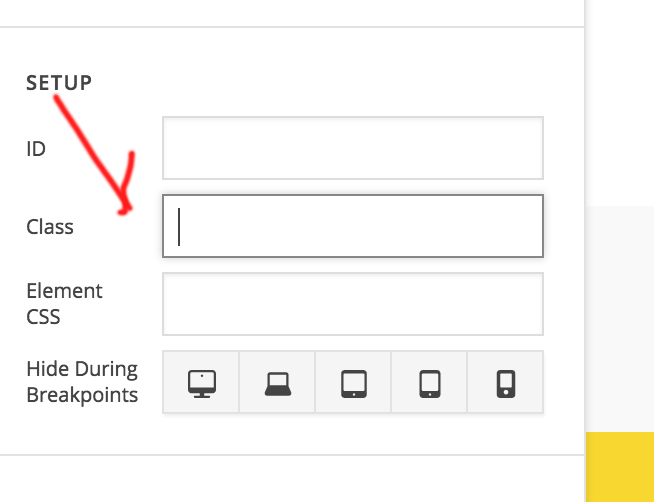
Please add this CSS to your Theme Option -> global CSS
.custom-class {
  backgroound: url(image-path);/*set ur image url*/
}
.custom-class:hover {
  backgroound: url(hover-image-path); /*set ur image url*/
}
Hope this is something you are looking for. If now please give us more details with the screen shot so that we can help you.
Thanks
Hi,
Thank you for your answer.
I don’t think that’s exactly what I asked.
I asked how can I create a button in photoshop (for example) and import it into wordpress?
An entire new button, maybe with weird shape and color.
Thank you
Hi again,
You can do this with custom CSS indeed. The procedure is same as mentioned above. In Photoshop you’ll create your custom button image and it’s hover effect. To use it in the theme, first upload the images to your media library in WordPress and save the links then add a Button element to any of your page and give your button a class e.g custom-btn
Finally using CSS you can change the appearance of your button as per your Photoshop design:
.custom-btn {
  background: url(image-path) !important; /* Input the button image path here */
  color: white;
}
.custom-btn:hover {
  background: url(hover-image-path) !important; /* Input the button hover image path here*/
}
Hope this helps!
This topic was automatically closed 10 days after the last reply. New replies are no longer allowed.