Renew Stack - Navigation Menu - Adding an image

Hi - I’m using the Renew stack with a fixed leftside navigation menu and I’d like to be able to add an image within the navigation area below the last menu link.

Here’s the site - https://www.mokenafootandankleclinic.com/

Can you show me where in the Theme’s code I should add it. Once I know where I can create a class and do any necessary styling.

Thanks,
Joe

Hello Joe,

Thanks for writing in!

You do not need to edit anything to add an image below the navigation menu. Since the child theme is set up, please add the following code in your child theme’s functions.php file

// Displaying custom image and link under the nav menu
// =============================================================================
function add_custom_image_link(){ ?>
  
  <div class="custom-image-link mam pas">
    <p><a href="#your-link-here" title="Your Link Title"><img src="//placehold.it/300x300" /></a></p>
  </div>

<?php }
add_action('x_after_view_global__nav-primary', 'add_custom_image_link');
// =============================================================================
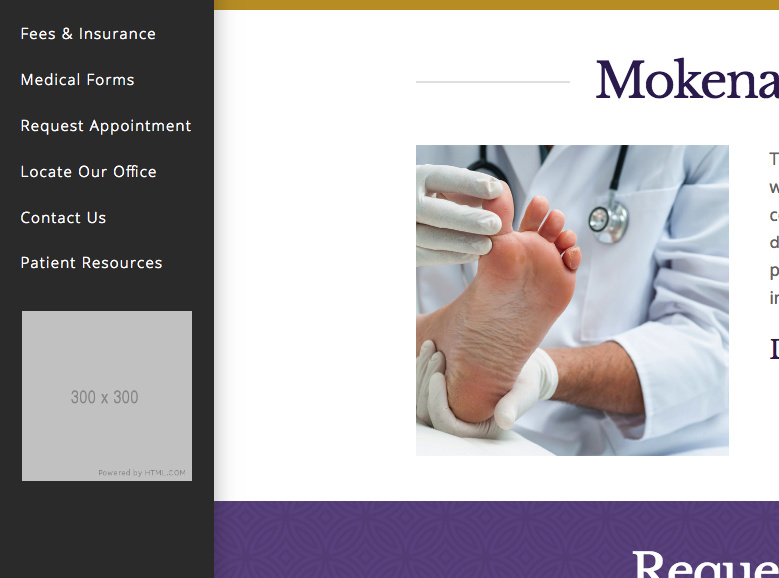
We would loved to know if this has work for you. Thank you.
Hi RueNel,

The function you’ve provided works but I actually want to have the image as part of the nav menu container showing after whatever the last menu

  • is in the list so when in a mobile view the image is hidden until the mobile menu is toggled.

    I think I would have to do this in the _nav-primary.php file and add it to my child theme, is that correct?

    Thanks,
    Joe

  • Hi Joe,

    Yes, you could do that too, but that code itself implements it on _nav-primary.php too. Which will result in the same view since the Menu is part of Wordpress, if you really wish to add it as last menu item then please check this https://www.wpbeginner.com/wp-themes/how-to-add-custom-items-to-specific-wordpress-menus/

    Example,

    add_filter( 'wp_nav_menu_items', 'your_custom_menu_item', 10, 2 );
    function your_custom_menu_item ( $items, $args ) {
        if (is_single() && $args->theme_location == 'primary') {
            $items .= '<li><img src="http://example.com/awesome-image.jpg"></li>';
        }
        return $items;
    }
    

    Thanks!

    Hey Rad,

    Works great! I just adjusted the IF statement and I’ve got what I needed. Thanks for the support.

    Joe

    You’re welcome!
    It’s good to know that it has worked for you.

    This topic was automatically closed 10 days after the last reply. New replies are no longer allowed.