HI!
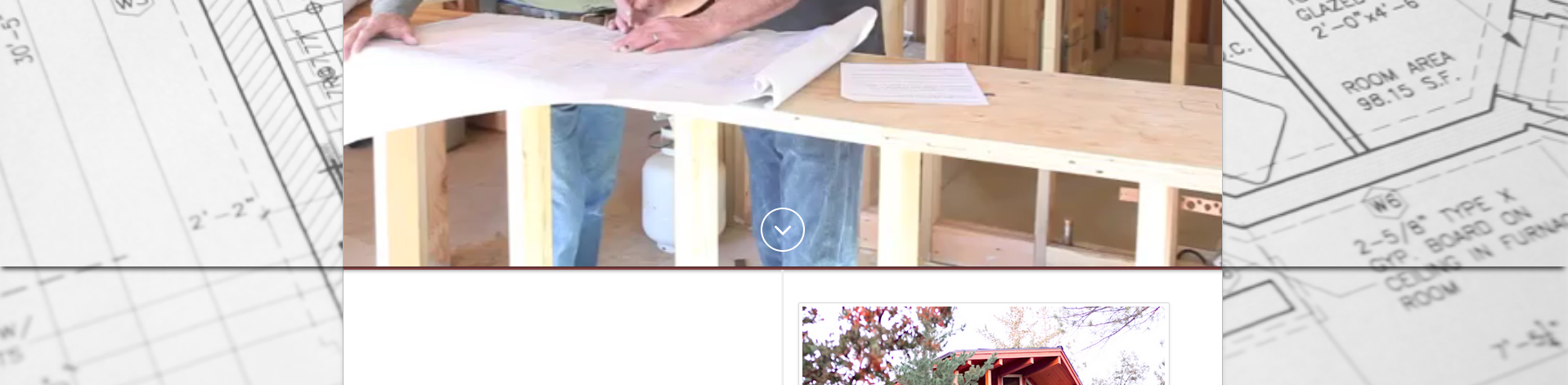
on www.2017rgc.robgrayconstruction.com we have the shadow (that we like) below the revslider, however, it is extending over the sides of the container across the page which we do not like. could you advise?
HI!
on www.2017rgc.robgrayconstruction.com we have the shadow (that we like) below the revslider, however, it is extending over the sides of the container across the page which we do not like. could you advise?
Hi there,
Please go to Revolution Slider : Slider Settings > Layout & Visual > Appearance > Shadow Type then select No Shadow.
Hope this helps.
Hi Jade.
Thank you for your quick reply!!! Wow!
We didn’t’ want to remove the shadow entirely, as you can see in this link http://www.robgrayconstruction.com/ this is how we like it.
we are having to rebuild the site because of a late update and are trying to recreate the way it looks in http://www.robgrayconstruction.com/ vs http:www.2017.rgc.robgrayconstruction.com
Hope that makes sense?
Sherry Ann
Hi there,
Kindly try the other shadow styles available in the option aside from No Shadow.
Let us know how it goes.
I am sorry I do not understand… Here is the way the original is

and here is the rebuild.
Sorry wouldn’t allow me to upload two images…
Are you saying its not possible to get the original back???
Hi SherryAnn22,
My apologies for the misunderstanding.
Please revert back to the original settings of your slider before the previous suggestion.
If you want to keep the first shadow that you have been using but limit it to the container width, kindly set the Slider Layout to Full-width instead of Full-Screen under Slider Settings.
The shadow extends to the outside dimension of the container because full-screen slider will take up the width of the entire page.
In case you are still having troubles with this, kindly provide your admin access so that we can check further on your settings.
Thank you.
This topic was automatically closed 10 days after the last reply. New replies are no longer allowed.