Hi there,
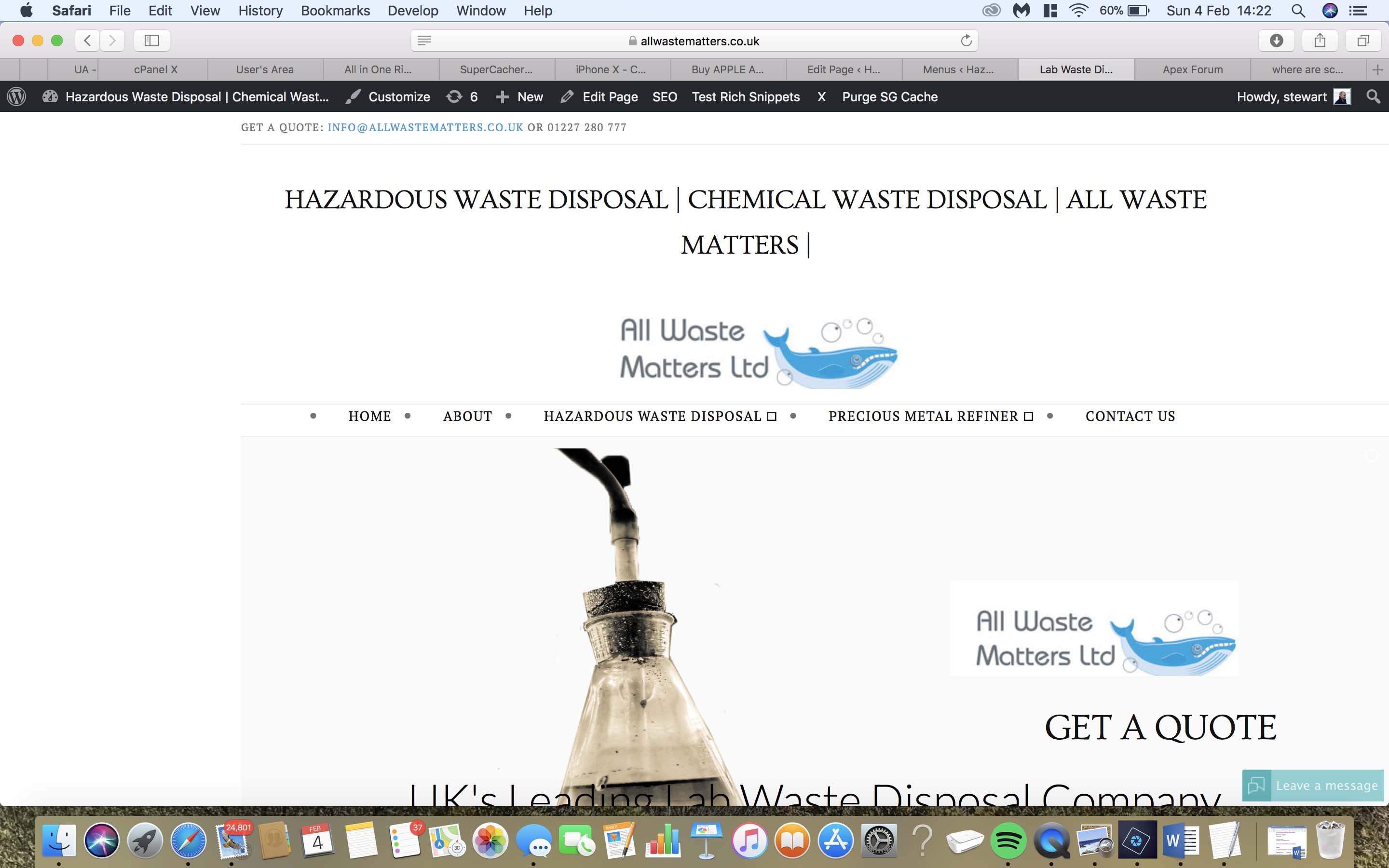
Is there a way to remove the tag from the top of the webpage? Currently all of our pages show HAZARDOUS WASTE DISPOSAL | CHEMICAL WASTE DISPOSAL | ALL WASTE MATTERS | on the front end which looks a bit messy?
Many thanks,
Stewart
Hi there,
Is there a way to remove the tag from the top of the webpage? Currently all of our pages show HAZARDOUS WASTE DISPOSAL | CHEMICAL WASTE DISPOSAL | ALL WASTE MATTERS | on the front end which looks a bit messy?
Many thanks,
Stewart
Hello There,
Thanks for writing in!
“HAZARDOUS WASTE DISPOSAL | CHEMICAL WASTE DISPOSAL | ALL WASTE MATTERS” should have not supposed to get displayed in every page. You are having a caching issue at this moment. I could clearly tell that because your menu items has bullets. It the actual working site, it is not like that.
Since you are using SiteGround, could you please disable the supercacher in your hosting panel? The SuperCacher is developed by SiteGround exclusively for their customers. It increases the number of hits a site can handle and boosts the website loading speed. The SuperCacher includes 4 different caching options for maximum optimization of your websites. You can access the tool by clicking on the SuperCacher icon in your cPanel. For more information about this, please check it out here: https://www.siteground.com/tutorials/supercacher/supercacher_intro.htm
I can also see that you are using CloudFlare. Please log in to your account and purge the site cache. It is best that you use the recommended CloudFlare settings. You can find it out from this link:
https://xthemetips.com/using-cloudflare-rocket-loader-with-x-pro-and-x5/928/
It is important that the JS and CSS files will not be minified to avoid issues like what you are having right now. In Your CloudFlare settings > Speed tab, make sure that JS and CSS minify option is disabled.
Hope this helps. Please let us know how it goes.
Hiya we’ve gone through all of these suggestions with Site ground but sadly they haven’t worked. Perhaps if I supply logins you could see if there’s something we’ve missed?
Hi there,
Actually, it seems that the steps you took did the trick I see your website this way:
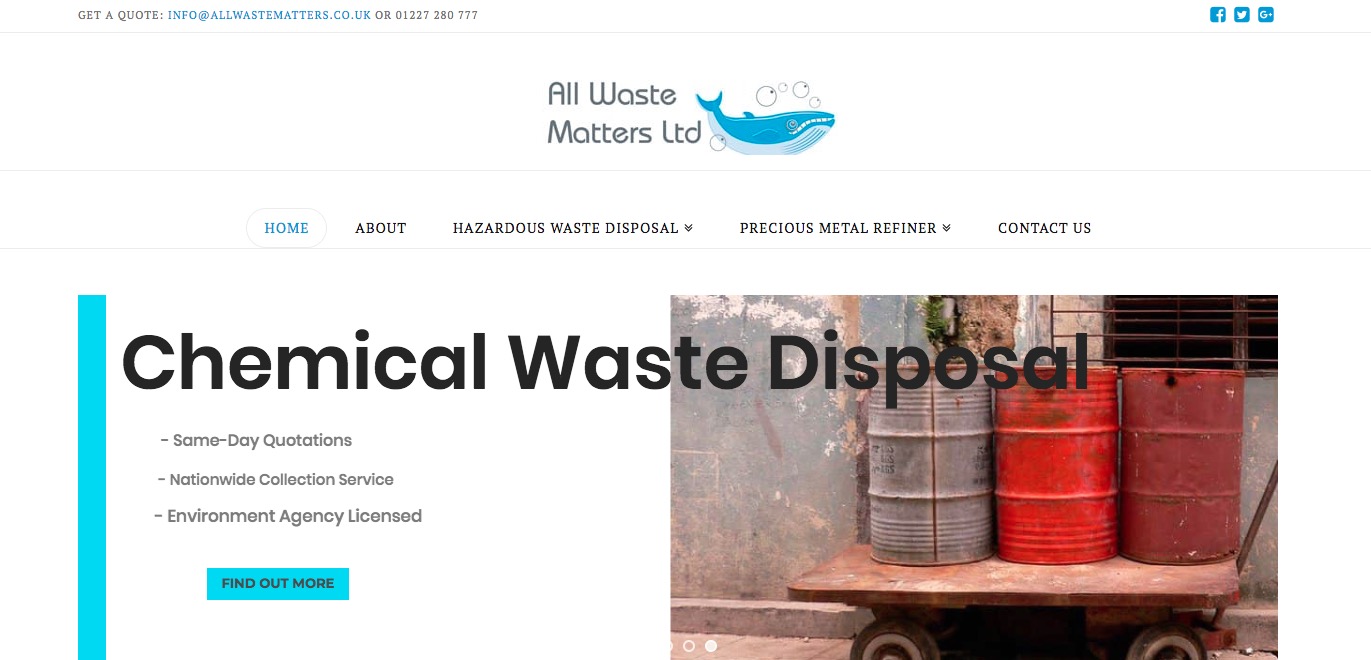
So please clear your browser cache or check the website with another machine.
The one point that I see when I went to your website dashboard is the usage of the Autoptimize plugin. Please exclude the Cornerstone plugin from the minification process of that plugin as all the assets of the Cornerstone are already minified and having them minify again will cause the problems such the one you experienced.
Thank you.
Awesome thank you very much for your help 
You’re welcome.
This topic was automatically closed 10 days after the last reply. New replies are no longer allowed.