In cornerstone, I am trying to get my columns closer together and I want an image centered over each column. Please see the private area for the url and page. Thanks.
Hi,
To achieve that, you can simple add a max-width to your row element.
I went ahead and added a class to your row
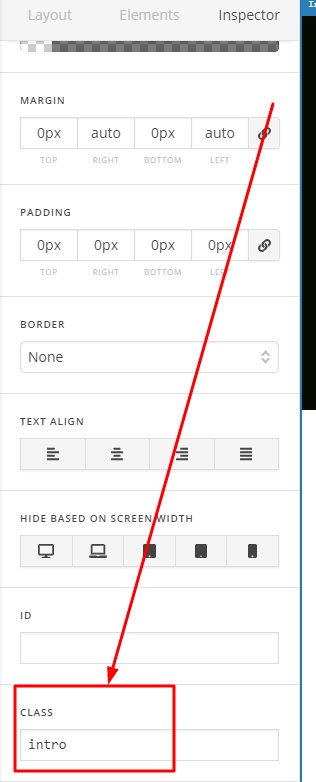
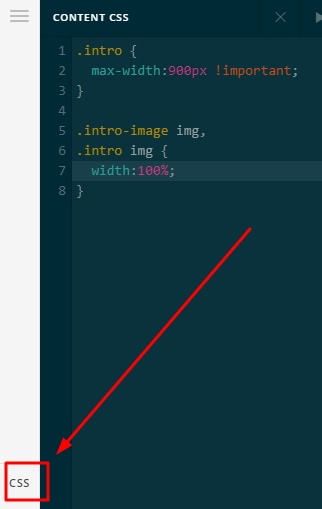
Then added this in Cornerstone > CSS
.intro {
     max-width:900px !important;
}

.intro-image img,
.intro img {
    width:100%;
}
Kindly check in your end.
Thanks
Thank you so much! This is exactly what I was trying to achieve.
You’re welcome!
We’re glad we were able to help you out.
This topic was automatically closed 10 days after the last reply. New replies are no longer allowed.