Removing page numbers on long posts

Im trying to disable page numbers/continuation from long posts, and just have a post be one long version.

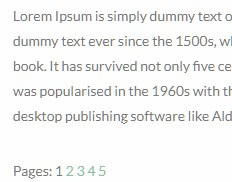
What can I do to disable/remove the page numbers showing at the bottom of a post similar to below:
https://tattooadore.com/40-amazing-fibonacci-tattoo-designs/

Thx in advance!

Hi There,

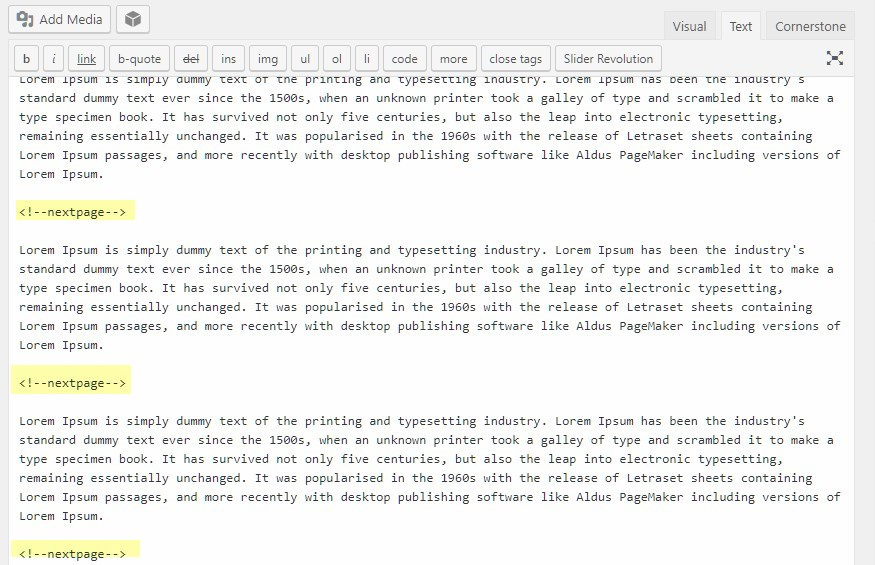
Please find and remove the <!--nextpage--> from your post content. It looks like this:

this is a new post content.

<!--nextpage-->

this is a new post content 1

<!--nextpage-->

This is a new post content 2

<!--nextpage-->

This is a new post content 3

Hope it helps :slight_smile:

Thank you for responding @thai

I cannot locate that command in the Editor or In the Post Editor. Where can I find that within the UI? Thx

Hey Greg,

It is written inside your content.

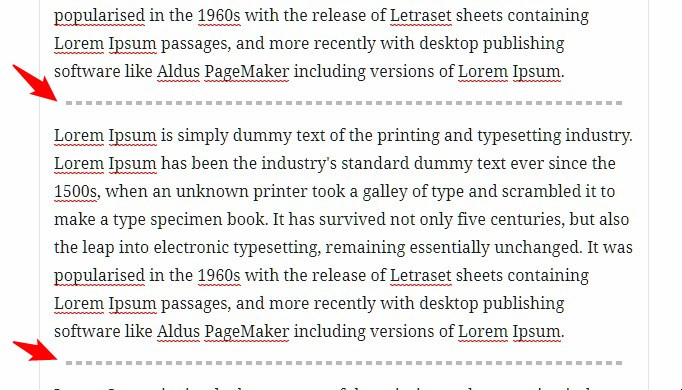
If you’re using Gutenberg Visual Editor, it is displayed as a broken line. You can click on it and press delete in your keyboard.

Or, you can switch to the code editor.

Thanks.

I Had no idea. wasnt able to see it within the editor view I was looking in originally. Much appreciated!! Happy new year!

We are delighted to assist you with this.

Cheers!

This topic was automatically closed 10 days after the last reply. New replies are no longer allowed.