How do I make this light beige bar white? I cannot find where this color code is.

Hey @SE1217707,
Before I answer your question, I’d just notify you first that you are using the Ethos Stack and its Header and Footer should be dark.
Please check set the Theme Options > Ethos > Navbar Background Color
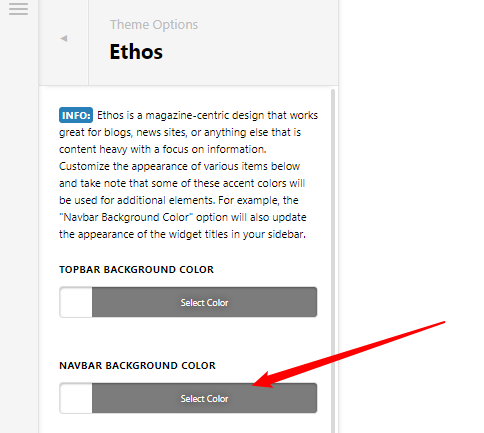
If it’s already white, check Theme Options > CSS for the code in the following screenshot. Change the color to white.

Hope that helps.
The nav bar background color is white and the code is already in there. Can you review further? It is also two separate bars showing as the odd beige, both at the bottom.

Hi @SE1217707,
That is the footer widget area. To hide this go to X -> Theme options -> Footer -> Footer Widget Area -> Choose none from dropdown.
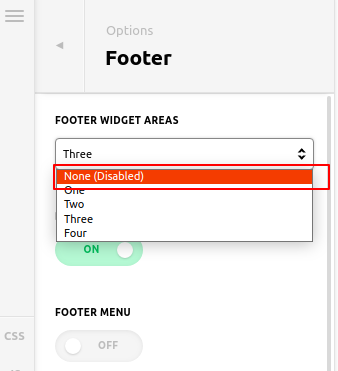
Hope it helps you.
Thanks
It worked, thank you!
Glad that we could be of help.
Cheers!
This topic was automatically closed 10 days after the last reply. New replies are no longer allowed.