I would like to know what css I would use to remove the border surround the add to cart button
Here is a screen shoot
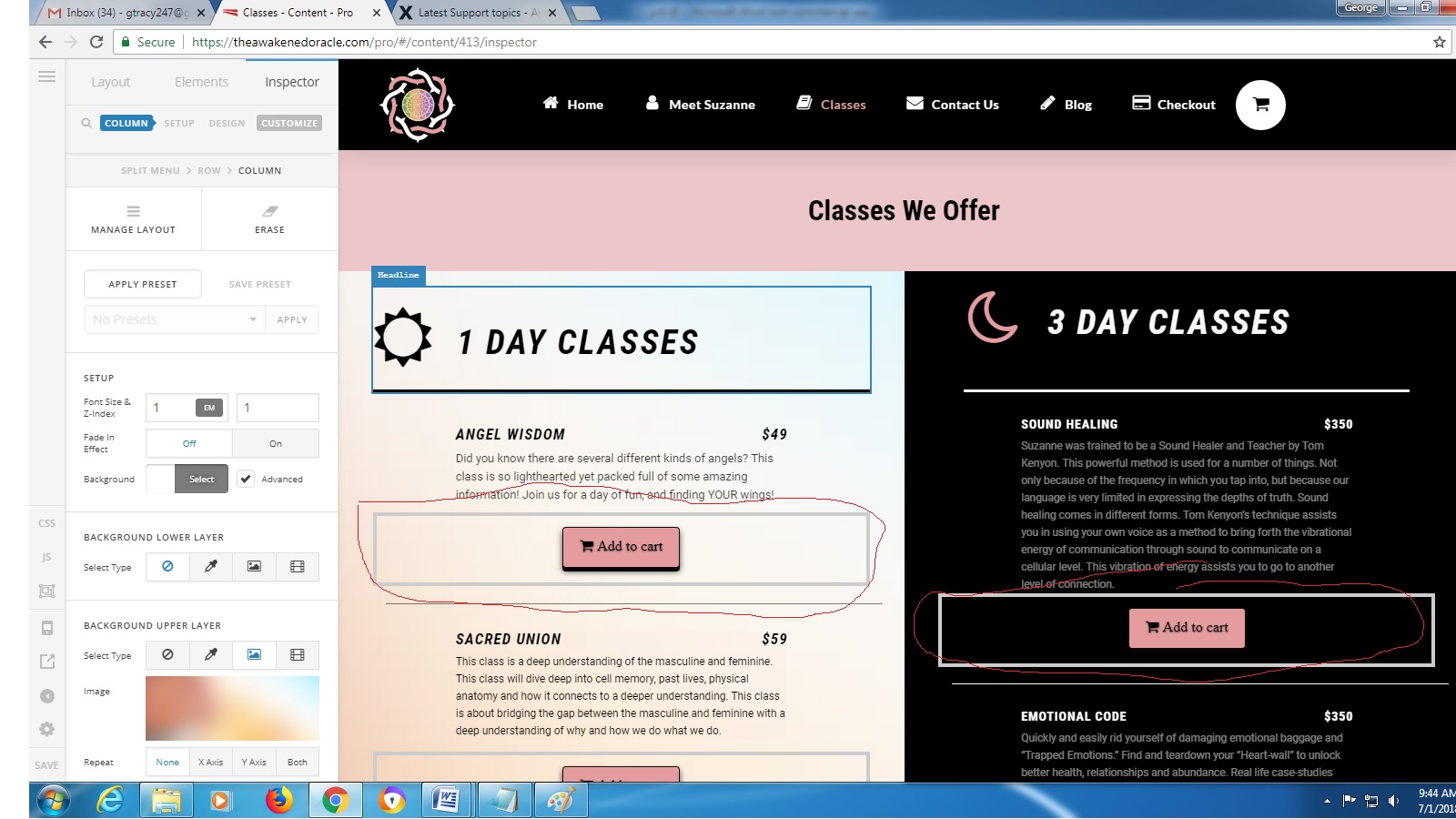
I would like to know what css I would use to remove the border surround the add to cart button
Here is a screen shoot
The element is a content area if there is a another way to add this instead please let me know
Hi There,
That border is coming from the WooCommerce add-to-cart shortcode, please try adding the style="" to your shortcode:
[add_to_cart id="108" style=""]

Hope it helps 
Does anything go in between “”
Hi @monger,
I have added this CSS in your Custom CSS:
.addcartnoborder .add_to_cart_inline{
    border:none !important;
}
You could use this class now .addcartnoborder to remove border of your add to cart.
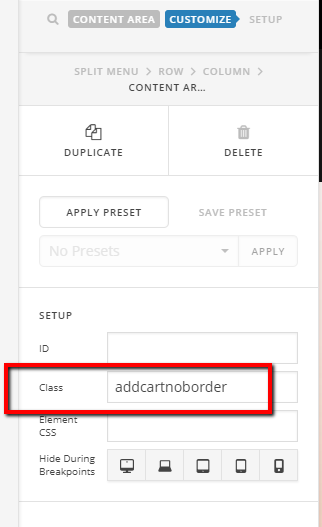
I removed the first add to cart button in your classes as an example.
Hope it helps.
Let us know hwo it goes.
Thanks.
That fixed it thanks
you are most welcome!
This topic was automatically closed 10 days after the last reply. New replies are no longer allowed.