I am not sure how it got there and I do not recall seeing it there previously, but at the top on my blog page is a blank Abotu the Author section. I cannot figure out how to remove this or how it got there.
Hello @everywhereandback,
Thanks for writing in!
It’s the page title that’s showing up. To remove the same please click on the Settings icon and under Meta Settings please Toggle Disable Page Title.
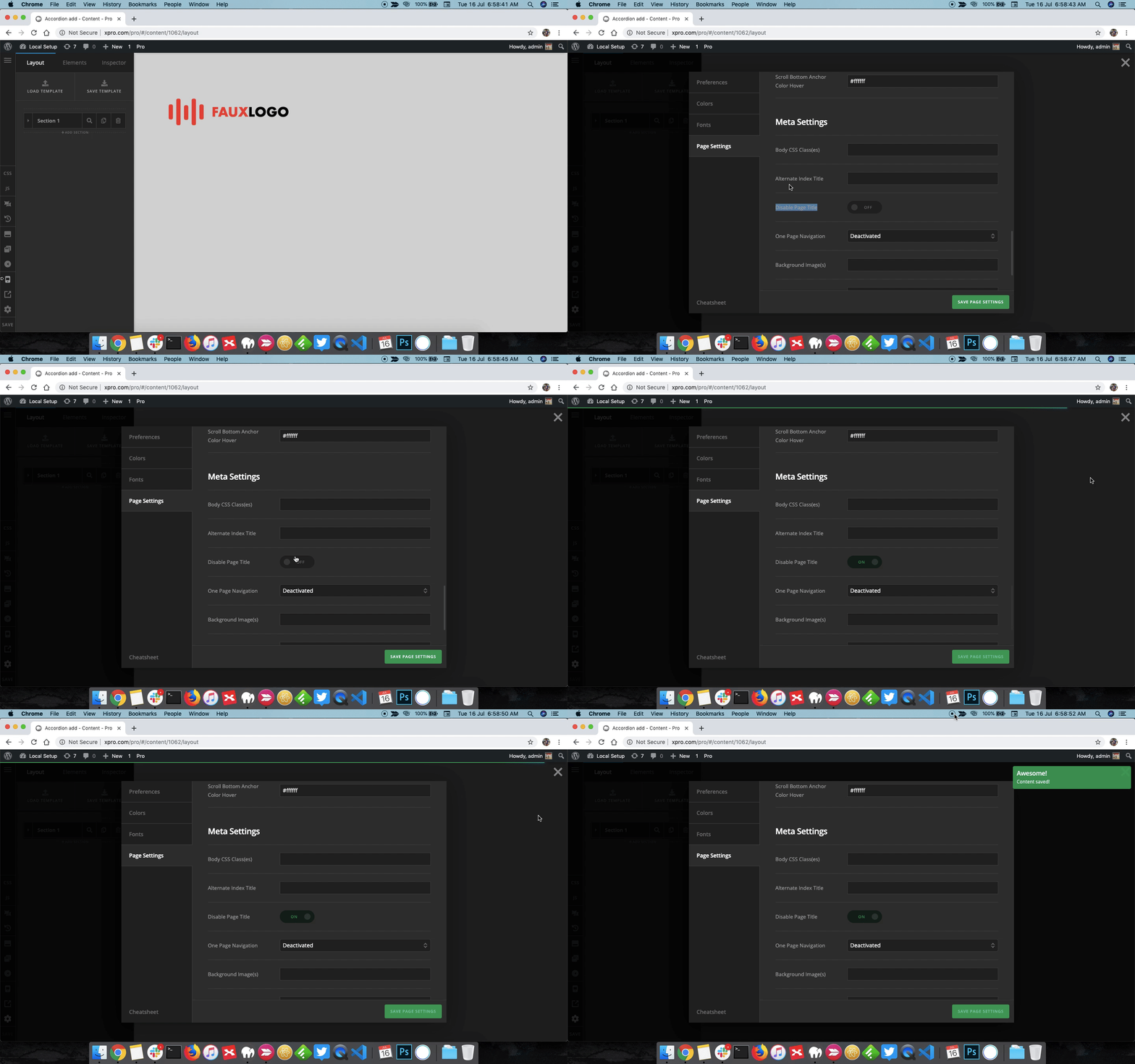
Thanks.
On that same menu, I don’t have a Page Settings option. I only see Preferences, Colors, Fonts, and Cheatsheet.
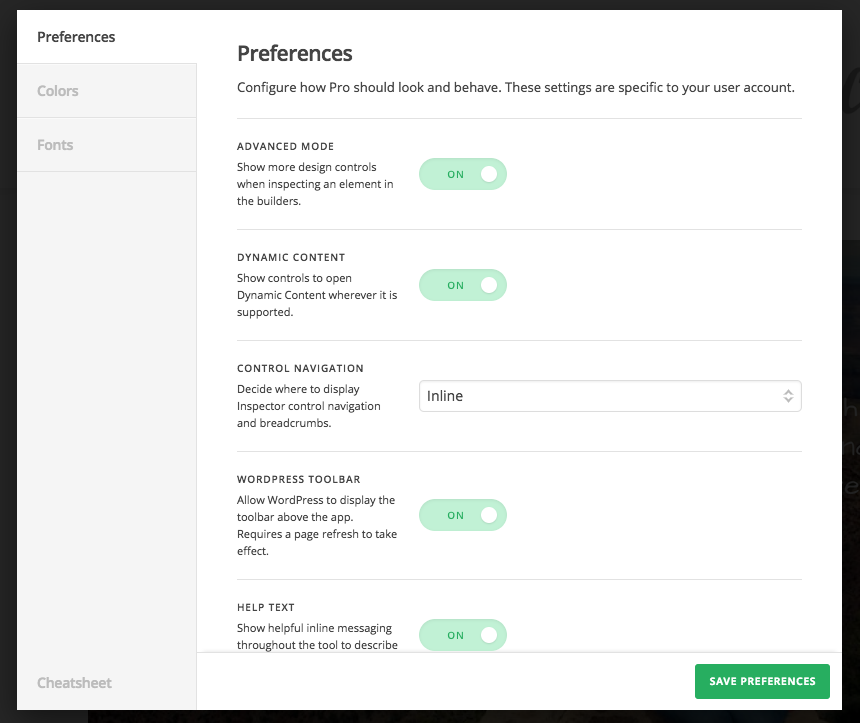
Hello @everywhereandback,
Thanks for updating the thread.
Under Pro > Settings > General > Pages select Access Settings option.
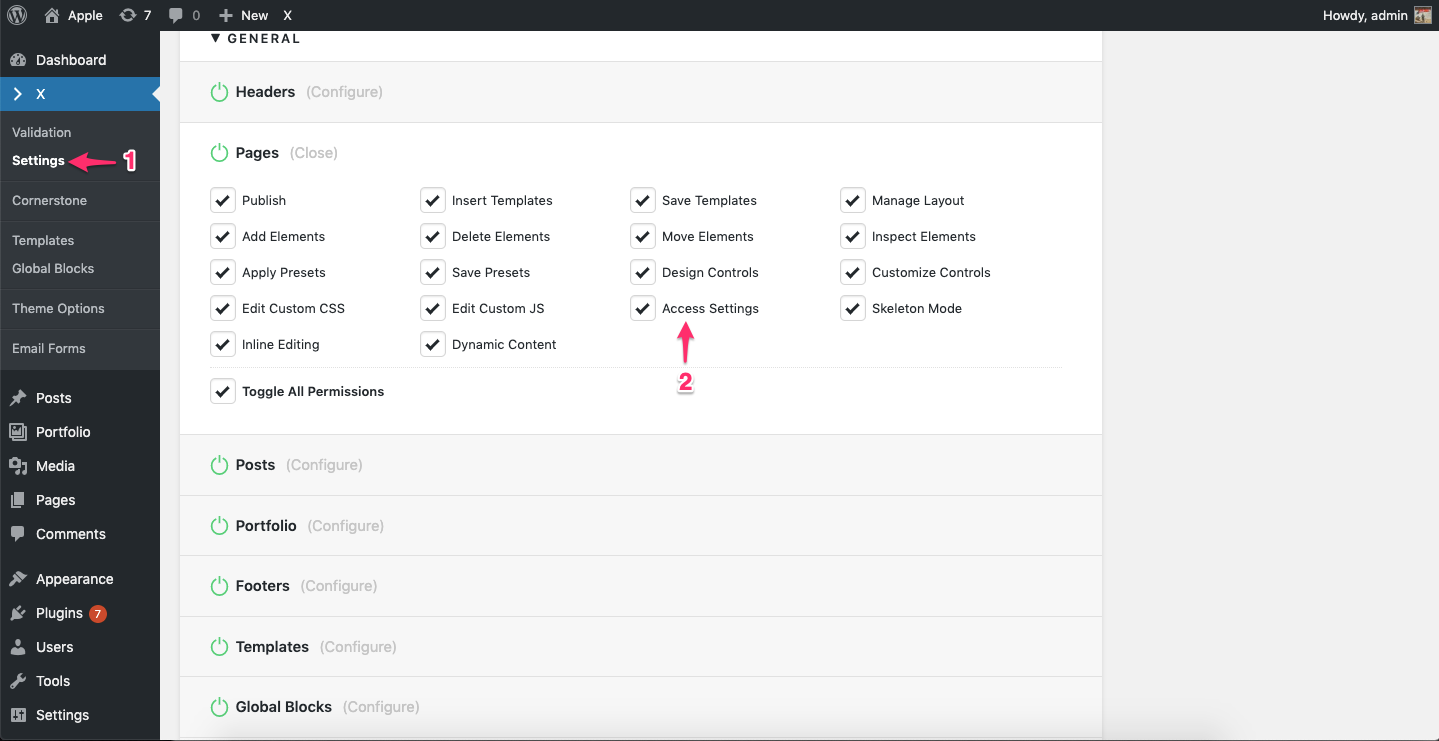
Thanks.
Access Setting was already checked. I have checked and I still do not have the Page Setting option in the Setting Menu
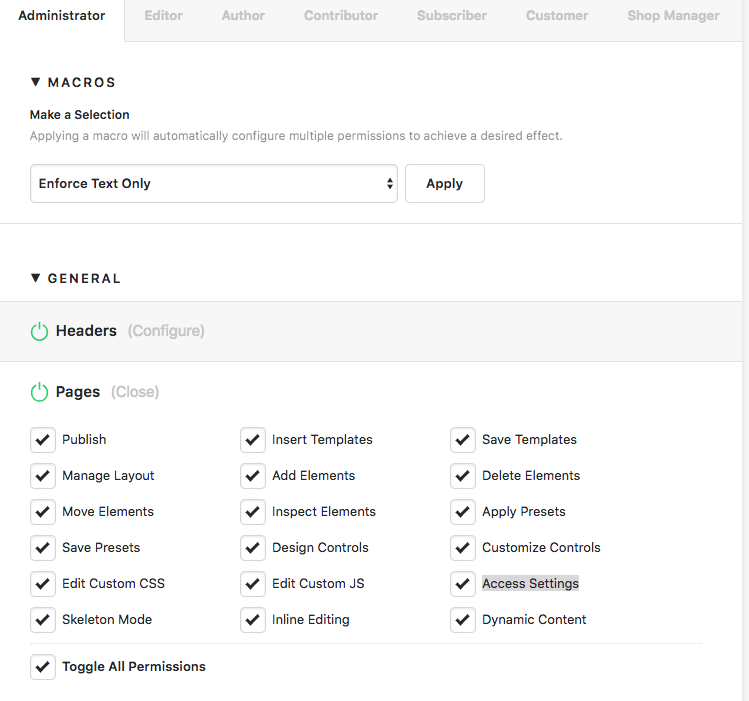
That About the Author on your blog page seems to be a standard post (this post), did you created that as a post? Please delete that and recreate it as a page instead.
Regarding that Page > Settings issue, please log in to your Cloudflare account and Purge All cache
CloudFlare Support - How do I purge my cache?
Hope it helps,
Cheers!
This topic was automatically closed 10 days after the last reply. New replies are no longer allowed.