Hi I inserted this css to remove my nav bar my problem now is my logo is not showing how do i make my logo reappear?
.x-navbar-wrap {
    display: none;
}
Also i need to underline some of my text and my the line blue like the image i have uploaded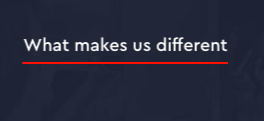
Hi I inserted this css to remove my nav bar my problem now is my logo is not showing how do i make my logo reappear?
.x-navbar-wrap {
display: none;
}
Also i need to underline some of my text and my the line blue like the image i have uploaded
Hello @allan015,
Thanks for writing in!
Please remove your code because you are doing it incorrectly. If you do not want to display the menu and display the logo, please go to Appearance > Menus. You will have to create a new menu with no menu items. Assign this empty menu as your primary menu. You will now have a logo with no menu items because you have assigned an empty menu.
If you want to underline a text, please use the <u> tag.
Check this documentation:
Hope this helps.
Hi now I have a white bar I need to remove this including shadow how do I do it?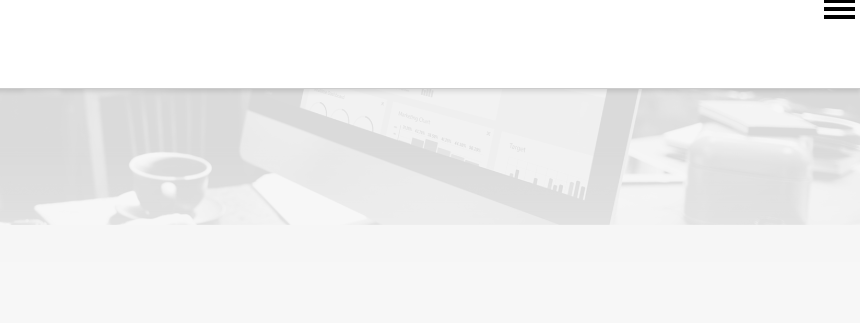
Hi @allan015,
Please try this instead. Go to Theme Options > Header > Layout : Choose Stack
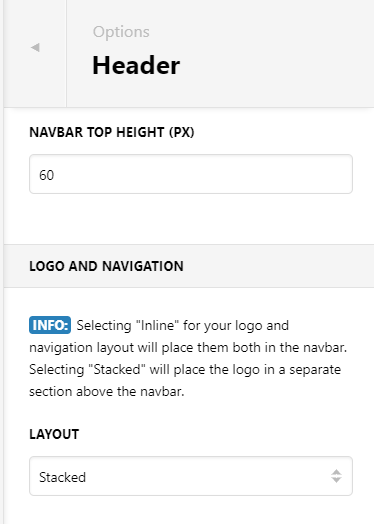
Then put back this CSS again:
.x-navbar-wrap {
display: none;
}
It will hide those bar on both desktop and mobile. The stack settings will put the logo outside that container.
Hi It’s just created the same problem but with a smaller bar I just want to display the logo and remove this bar or make it transparent with no lines or shadows ?
Hi @allan015,
To make it transparent without border, please add this too:
.x-logobar {
    background: transparent;
    border-bottom: none;
}
Hope this helps.
Thanks that is what I needed
You’re always welcome!
Happy holidays…Cheers!
This topic was automatically closed 10 days after the last reply. New replies are no longer allowed.