Remove underline on header

Hello support team,

I have used this code to sytle my bb press forum,
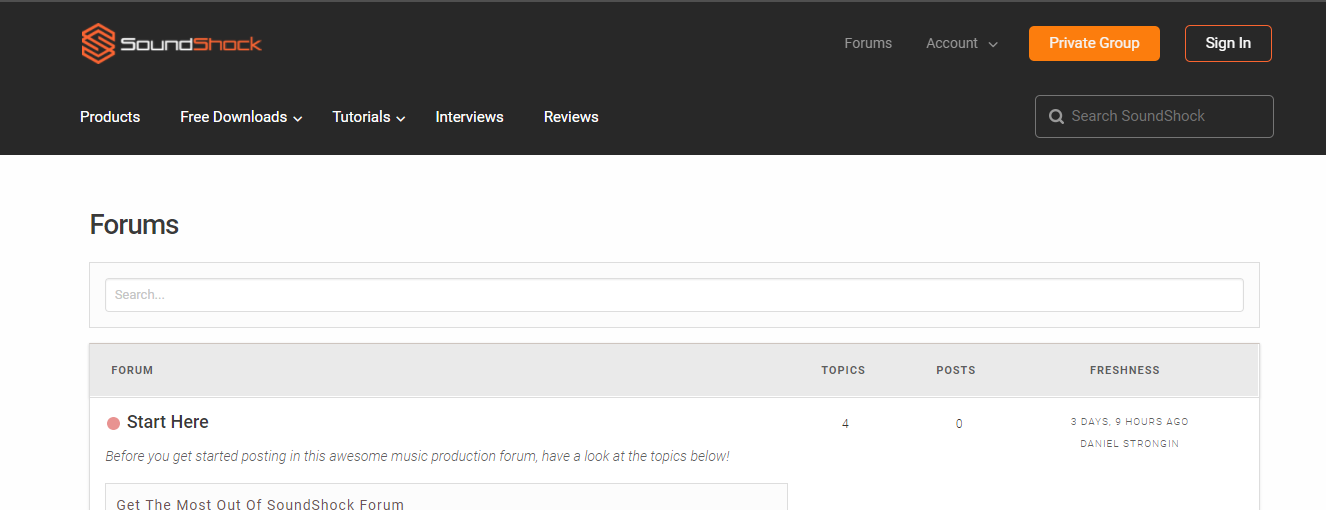
but it also underlines some of my header items only when I am on Forum pages.

How do I remove this underline on just the header on the forum

.bbp-forum-title:hover,
.bbp-forum-link:hover,
.bbpress.forum:hover,
.entry-title:hover,
.bbpress.forum:hover,
.bbp-topic-permalink:hover {
text-decoration: underline;
color: #3A3A3A;
}

help would be appreciated!

Hello @dstro003,

Thanks for writing in! :slight_smile:

The website is not showing the underline button on our end. I’ve also check the CSS code in Customizer and it is still the same as the one above. Please clear your browser cache.

Let us know how it goes.

Hey Jumar,

I have cleared the cache and the problem still exists.

You will have to enter one of the forums to see the underline that I am talking about.

If you go to this page and hover over the header top right links and buttons, you will see the underline

Thanks for your help!

Hello there,

Thanks for clarifying! Please go to X > Launch > Options > CSS and replace the code you currently have above.

.x-crumbs-link:hover,
.bbp-forum-link:hover,
.bbp-forum-title:hover,
.bbp-topic-permalink:hover {
  text-decoration: underline;
  color: #3A3A3A;
}

Hope it helps.

Thanks for the updated code jumar.

I have added it and it works!

Thanks for the help :smiley:

Hi @dstro003,

Happy to hear that.

Feel free to asks us again.

Thanks.

This topic was automatically closed 10 days after the last reply. New replies are no longer allowed.