Hi, I tried everything to remove the space seen on the picture…can you help me how to remove it and make the content fully responsive/full width? 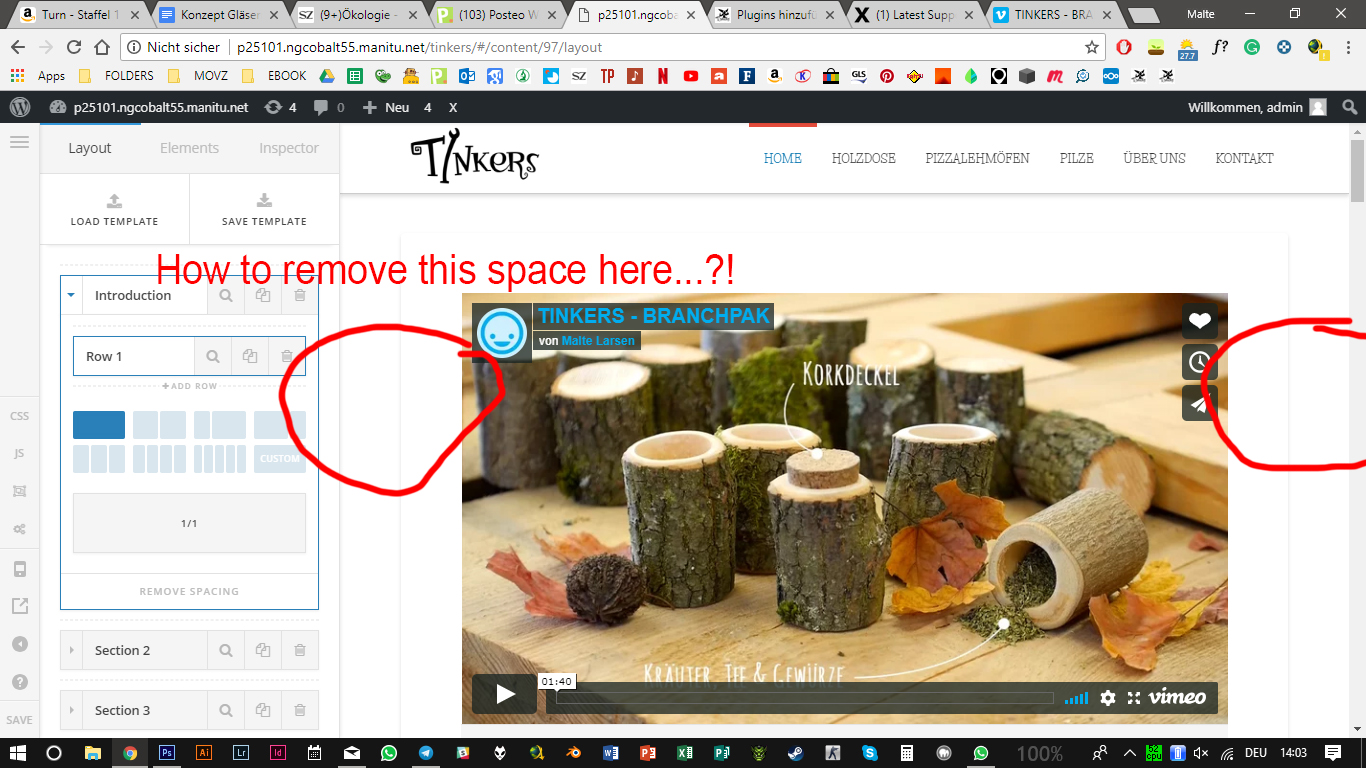
Thanks in advance 
Kindly, Malte
and a second question: how is it possible to show a picture first and then the menu? like you have it on your page: https://theme.co/x/
Hi Malte,
The space around the content is the default padding set to the page templates with container. To get rid of the padding, you could either add a custom CSS to set the padding to 0 or change the page template to no container templates.
To do the former, please add this code in the Global CSS:
.entry-wrap {
    padding: 0;
}
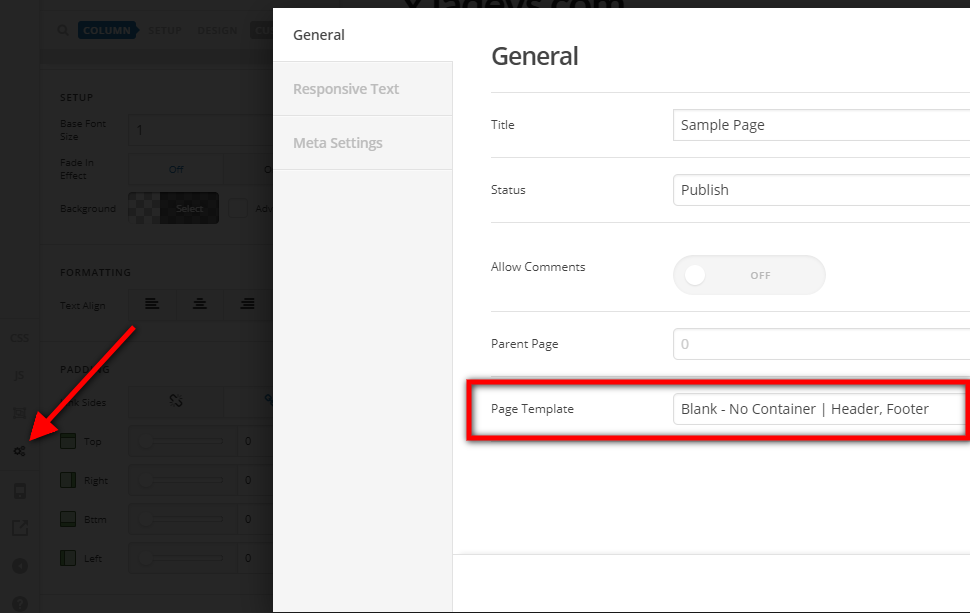
For the latter option, select the General Settings and set the page template to Blank - No Container | Header, Footer:
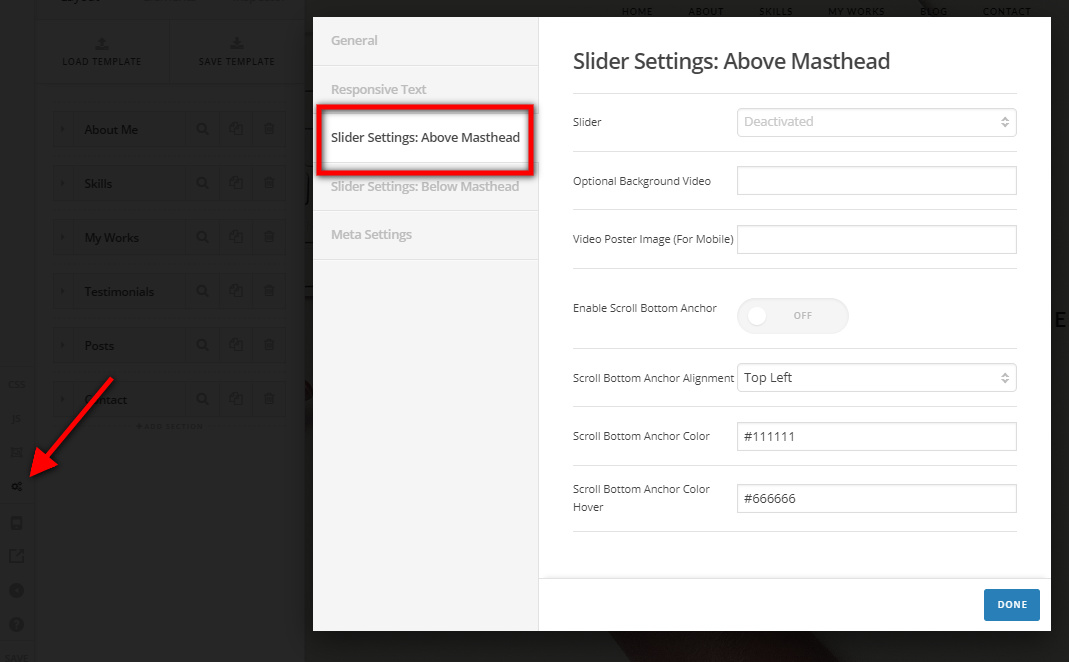
You will have to create a slider using Revolution Slider then edit the page and set the slider you created in Slider Settings: Above Masthead
Hope this helps.
This topic was automatically closed 10 days after the last reply. New replies are no longer allowed.