How do I remove the space (white lines) between the Top Bar, Logo Bar and Navbar in my Header? I’m using Integrity in Pro. Visit Site here: https://yourtownagent.com/ 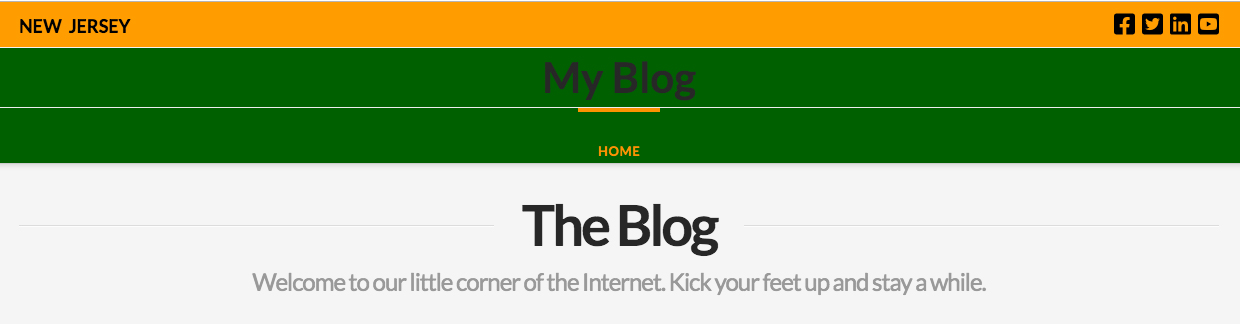
Hi @tommyicons,
No problem! We can help with that. It looks like you’re already adding a bit of custom CSS to get the colors. You could try using the Renew stack which already comes borderless by default and has theme options for setting those colors. Or if you want to add a few more custom styles you can remove Integrity’s white border and shadow effect with this code:
.x-navbar, .x-logobar, .x-topbar {
    border: none;
    box-shadow: none;
}
Awesome!! Thank You Very Much.
Our pleasure.
This topic was automatically closed 10 days after the last reply. New replies are no longer allowed.