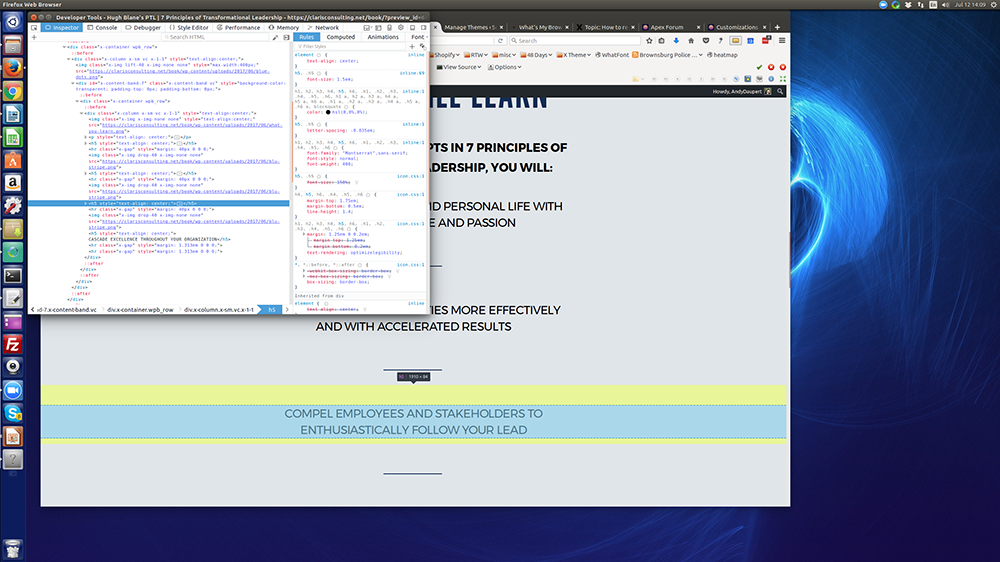
Greetings. I need to remove space between headings. I am working on a landing page, and need to ‘tighten up’ all the elements. I have disabled Hide Design Options in Visual Composer, and changed “Elements Bottom Margin” to 0px.
Using Inspect Element in Firefox, I see there is a top margin above the heading text(s), but everything I do, even temporarily unchecking top-margin, isn’t working.
I am including a screenshot showing a particular instance of margin above a H5 text row.
Thanks!