Hi, Can you please tell me how to remove the search icon from the right side of the navigation bar. Also I want to change the sidebar widget area background from grey to white but can’t see an option for this? Thanks
Hi There,
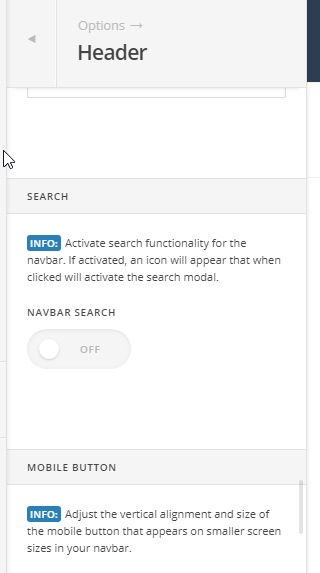
To remove the search button in the navbar, please navigate to Theme Options > Header > SEARCH > NAVBAR SEARCH > switch to OFF:
Please add the following CSS under Theme Options > CSS:
div#top {
    background: #fff;
}
Hope it helps 
Just the job, thanks
Glad that we could be of a help
This topic was automatically closed 10 days after the last reply. New replies are no longer allowed.