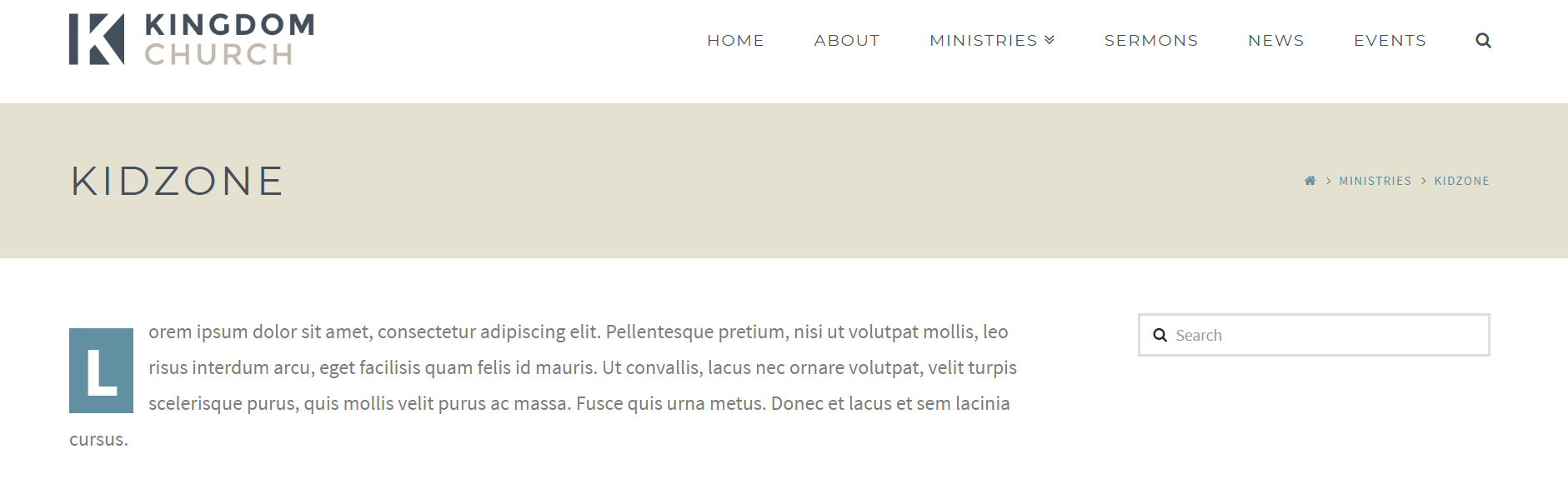
Hi. How do I remove this search box? It does not appear to be a selectable element and I can’t find a corresponding option in Theme options. Thanks.
Hello @HGPower,
Thanks for asking. 
- You can remove the search box from Appearance > Widgets > Main Sidebar.
- In case you are looking to remove Search icon that’s present in Navbar, you can remove that from X > Theme Options > Header > Search > Toggle Navbar Search.
Thanks.
Thank you. I removed it from the widgets, but the page content is still shifted to the left as though it is still there. (See the white space on the right in the image uploaded.)

Hi There,
Did you remove all the widgets? If you want to remove sidebar, you can select a fullwidth template by editing your page.
If you still need any assistance, please provide us with the URL to your referenced page.
Thanks!
Thank you. Changing to fullwidth fixed it.