Hi there,
I’m looking to remove the areas marked in the screenshot for all pages and posts.
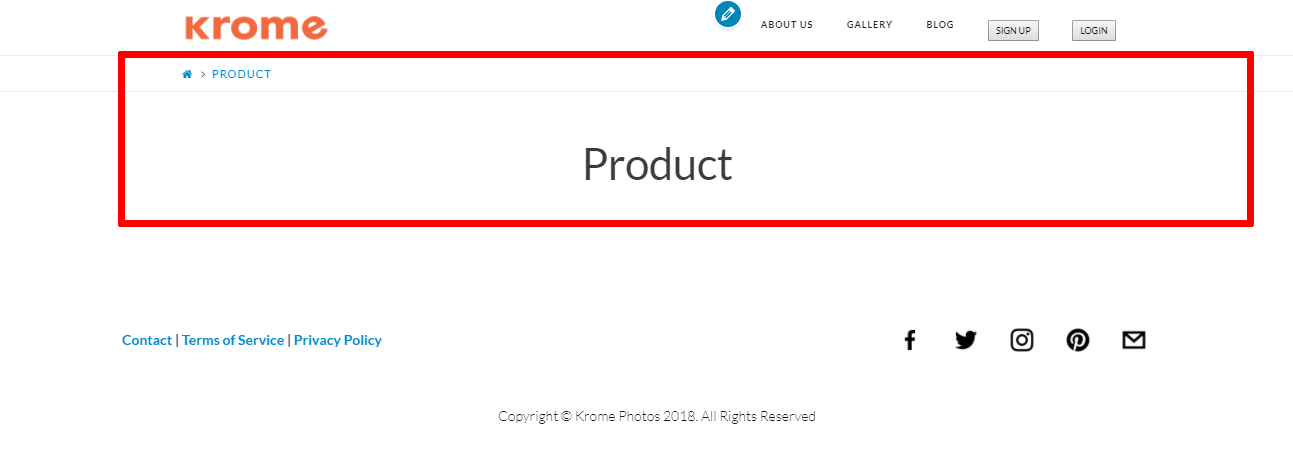
I’ve tried the css I found here:
None of the codes worked.
Can you help me?
http://kromephotos.com/testing/product/
Thanks,
Ani
Hi there,
I’m looking to remove the areas marked in the screenshot for all pages and posts.
I’ve tried the css I found here:
None of the codes worked.
Can you help me?
http://kromephotos.com/testing/product/
Thanks,
Ani
Hi There,
The custom CSS below will globally remove all the page/post title on your website, please add it under X > Theme Options > CSS:
.page-template-default .entry-header,
.single-post .entry-header {
    display: none;
}
Let us know how it goes!
This topic was automatically closed 10 days after the last reply. New replies are no longer allowed.