Remove meta and divider line for "category" page

How do I remove the last bit of meta data (i.e., the date) from the post titles in my “category” page(s)? This part of the meta doesn’t display on my blog page and I want to remove it from these category pages too.

Also, how do I remove the gray divider line that separates posts in these category pages? As above, this doesn’t display on my blog page and I want to remove it here too.

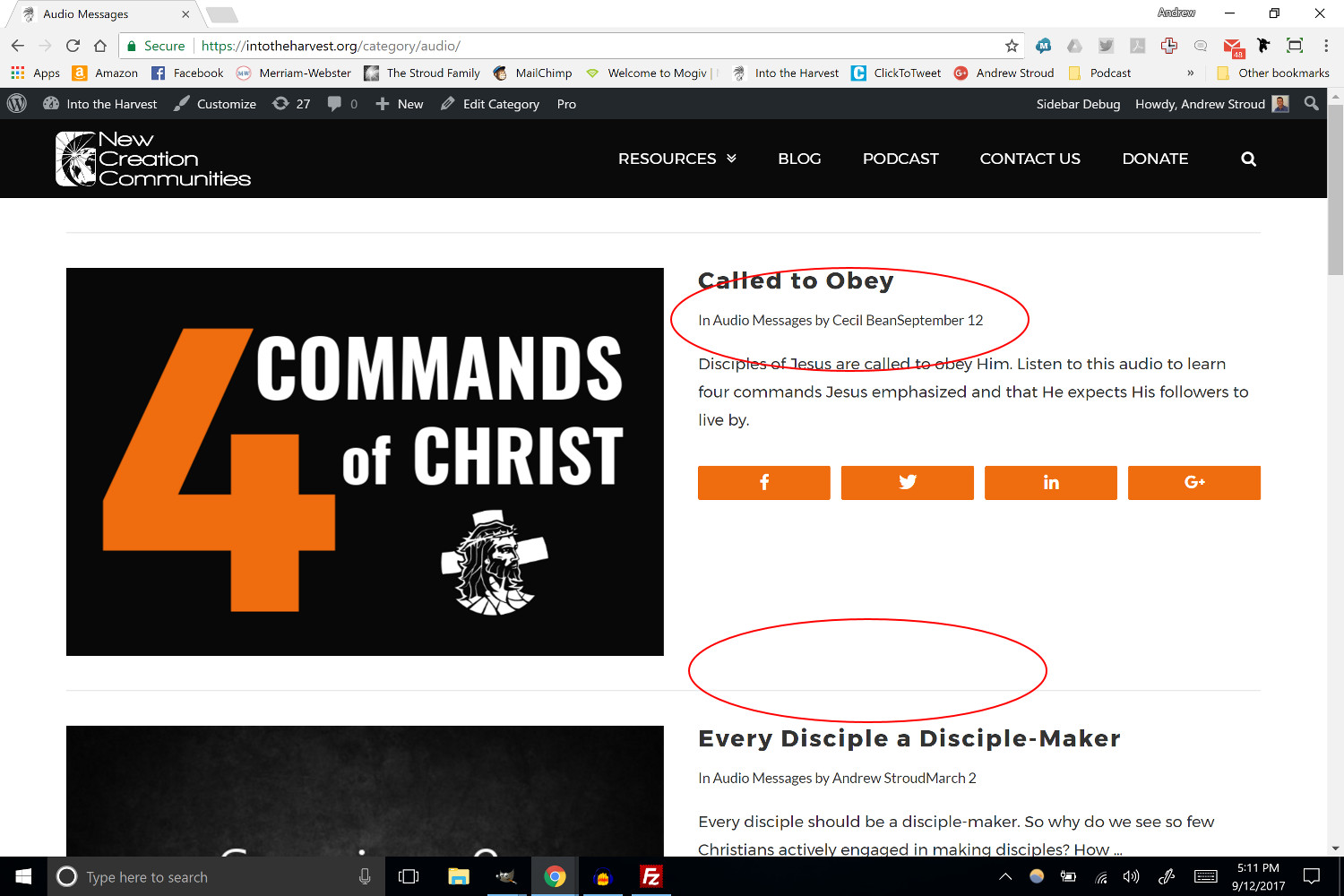
I’ve attached a screenshot that circles the two areas I want to adjust:
Hello @jandrewstroud,

Thanks for writing in!

Looks like you have already make the changes. Can you please confirm?

Thanks.

It’s fine for the blog page. I already used the following code to remove the line:

.blog .x-main .hentry {
border:0;
}

However, the line and date info in meta still show on category pages like the two below:

https://intotheharvest.org/category/audio/

https://intotheharvest.org/byline/andrew-stroud/

How do I remove the line and the date from meta on these category pages?

Hello @jandrewstroud,

Please add following CSS to make required changes:

.category time.entry-date {display: none;}

.blog .x-main .hentry, .search .x-main .hentry, .archive .x-main .hentry {border: none;}

Thanks.

Thanks, that helped!

The only thing is the date stamp still shows on the byline page (see https://intotheharvest.org/byline/andrew-stroud/)

I tried the following code but it did not remove:

.byline time.entry-date {display: none;}

How do I remove the date from these byline pages?

Hello @jandrewstroud,

Please add following CSS:

p.p-meta time.entry-date {display: none;}

Thanks.