https://bullseyesurplus.com/homepage-6-3/
I am trying to get the product to stop displaying in flex box format completely.
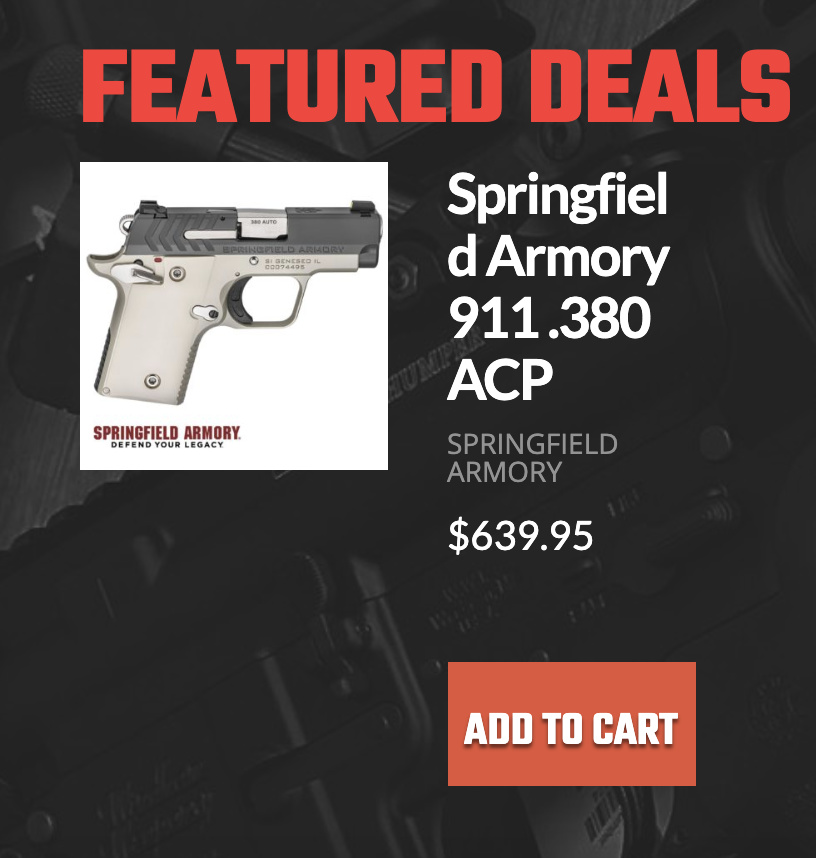
I’d like it to be displayed as
Image
Title
Brand
Price
Add to Cart
https://bullseyesurplus.com/homepage-6-3/
I am trying to get the product to stop displaying in flex box format completely.
I’d like it to be displayed as
Image
Title
Brand
Price
Add to Cart
Hello Justin,
Thanks for writing in!
Please add following CSS under Pro > Theme Options > CSS:
.bc-product-card.bc-product-card--single {
    display: block;
}

.bc-product-card--single .bc-product__gallery {
    position: relative;
}
1- I have found the proper CSS code selector using the Chrome browser Developer Toolbar: https://www.youtube.com/watch?v=wcFnnxfA70g
2- For the CSS code itself, I suggest that you get started with this tutorial: https://www.youtube.com/watch?v=yfoY53QXEnI
Thanks.
Thank you so much. I was trying this exact same code…in all the wrong places.
You’re welcome, Justin.
This topic was automatically closed 10 days after the last reply. New replies are no longer allowed.