Remove extra space, stretch content to fit and remove border

Hello! I am new to Cornerstone, I have worked mainly with Visual Composer so I’m struggling with a few items and am wondering if you can help. I have uploaded a graphic (http://ediswatching.wpengine.com/wp-content/uploads/ed_is_watching_edits.jpg) so you will have a visual reference to the problems I am noting below.

  1. I would like to reduce the white space between the header/nav bar and the body content of the page.

  2. I would like to get the body content to span the page.

  3. There is a dropshadow/border outlining the body content that I would like to remove.

The page referenced in the mockup can be found at: https://ediswatching.wpengine.com

Thanks for your help!
Hi There,

Thank you for the detailed information.

We can use browser developer tools to inspect element and achieve what you want.

1.) Either add both of this CSS or just one whichever suits your site best. See this: https://screencast-o-matic.com/watch/cbX1eP2j84

.home .entry-wrap {
    padding-top: 0;
}
.x-container.offset {
    margin-top: 0;
}

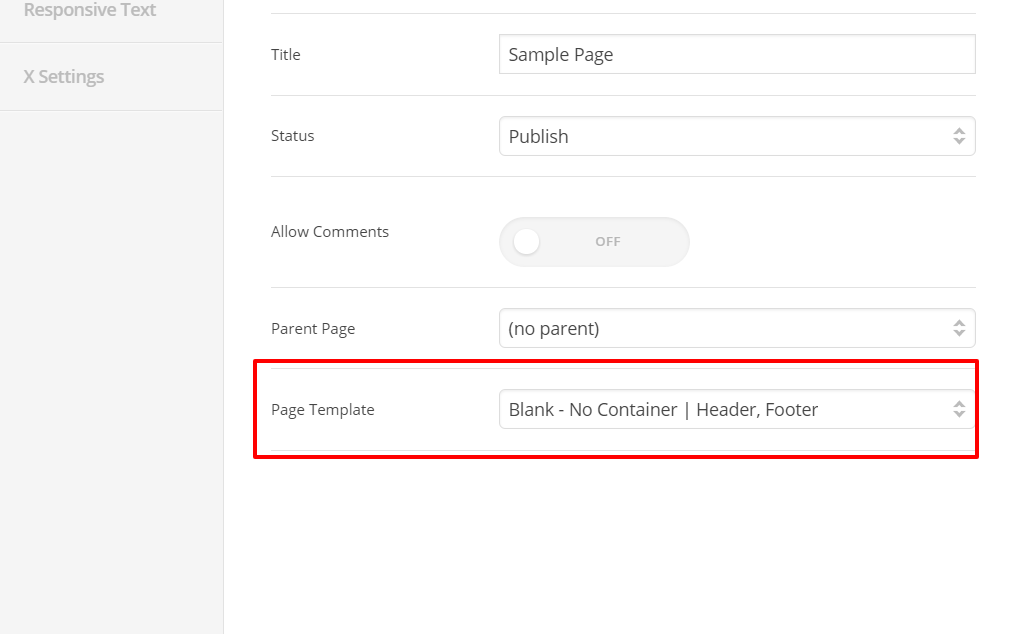
2.) To make it fullwidth, edit the page, on the right part look for Page Template: Choose NO CONTAINER template. Current content is inside a container. The size of this container is the set on Theme Options > Layout and Design: Site Width and Site Max-width . Choosing a no container template means you page content is fullwidth.

Using Cornerstone, we can also access this popup settings.

You can access that pop by clicking this button:

3.) See this: https://screencast-o-matic.com/watch/cbX1f22jPT

.home .entry-wrap {
    box-shadow: none;
}

Hope this helps.

2 Likes

This topic was automatically closed 10 days after the last reply. New replies are no longer allowed.