Remove box shadow from tabbed content - Pro Theme

Hi,

I have the pro theme, renew stack, and want to get rid of the box shadow and border around the panels that is the default hard coded css setting. I’ve tried the solutions in the other threads with no luck, perhaps the pro theme requires more finesse?

The page is here, scroll down the the tabbed content:

https://vastworkforce.com/skills2/

I’d appreciate any help you could provide as I’d love to get this solved :slight_smile:

Hi @rphilly,

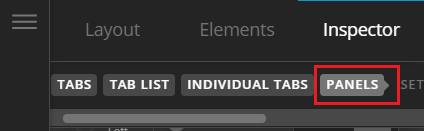
Thank you for reaching out to us. You can remove the box shadow from the Tabs elements settings in Content Builder. First inspect your Tabs elements settings in Content Builder, go to Panels section (see screenshot)

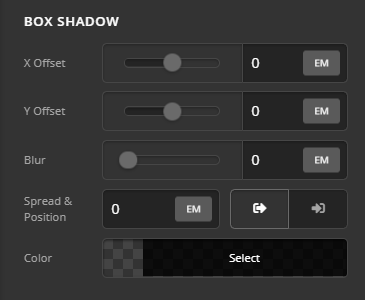
Scroll down to find the Box Shadow settings and set all the values to 0 (see screenshot)

Hope this helps!

1 Like

Thanks Nabeel! Worked perfectly!

You’re always welcome @rphilly!

Cheers.

This topic was automatically closed 10 days after the last reply. New replies are no longer allowed.