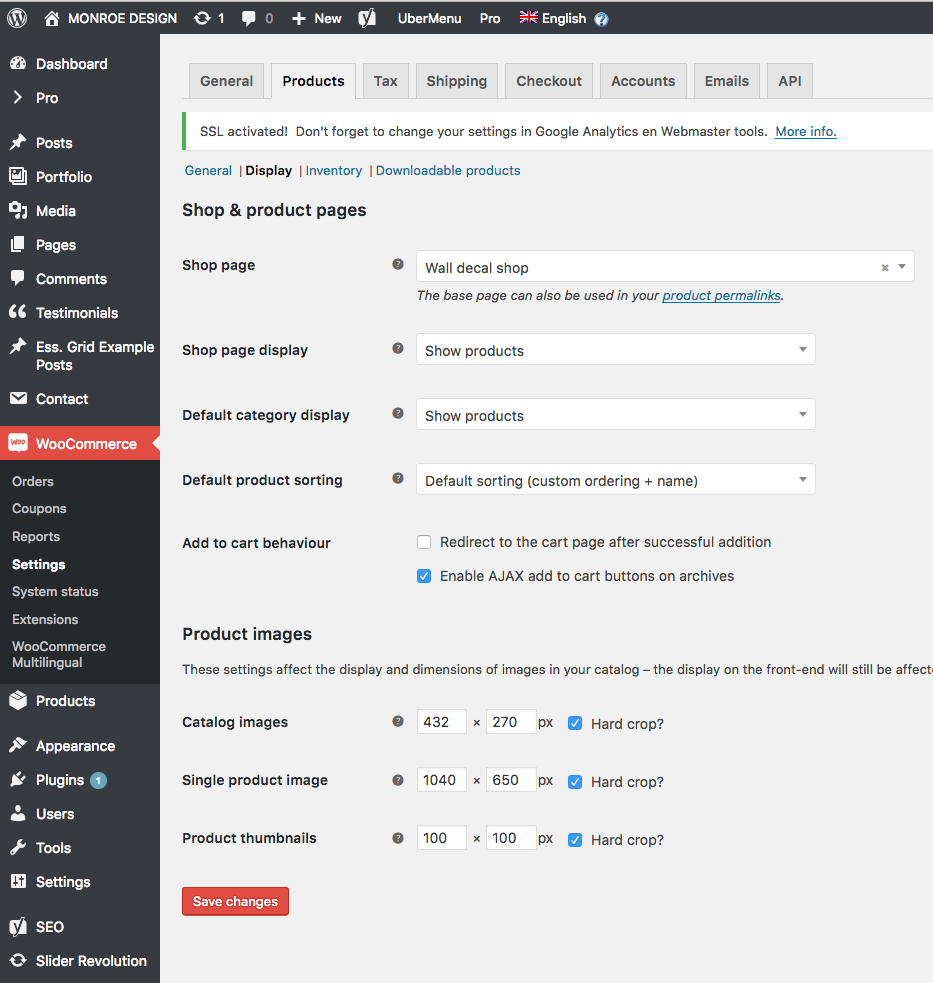
Regenerate Woo product thumbs for "Related products"

Hi!

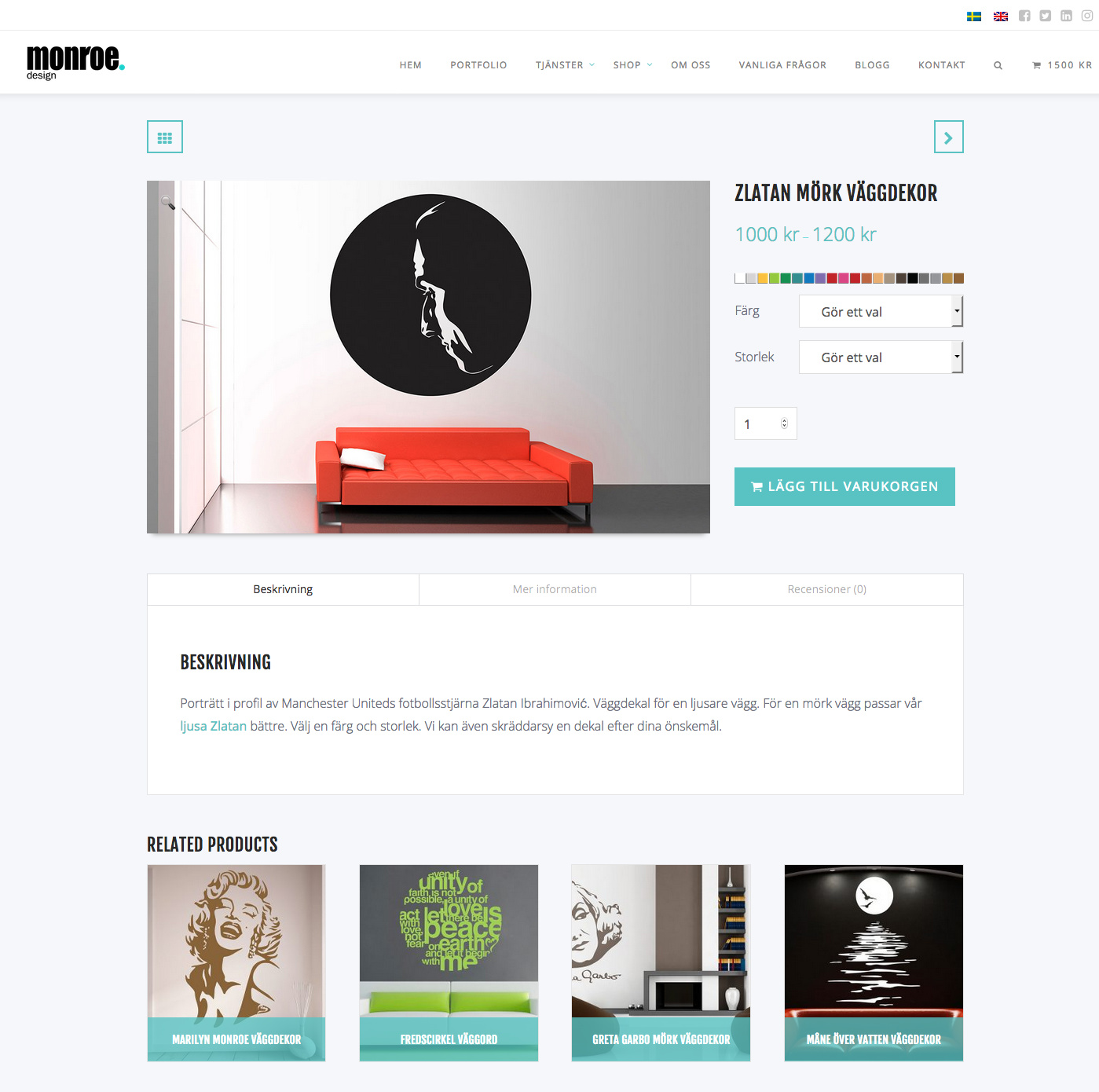
Since the updated Pro forced me to return to an earlier version of Woo Commerce, I now have the wrong proportions set to product thumbnails. Again. You can see this under related products on product single and in checkout.

The ratio 1.6 of singe product images 1040x650 is correct. I want the same rectangular ratio for related products thumbs, which are now incorrect squares. Please see attached screengrabs.

Now, last time I had to do forced regeneration of product images (due to the update from X to Pro) it scrambled ALL my product variation images. I have hundreds of them and I had to re-upload them all manually. I’m trying not to have to go through that pain in the butt again, so please be careful when you advice me on how to go about with this.

The attached image with my back-end product image sizing (catalogue images 432x270) is not regenerated yet.

What should I do?
Hey there,

WooCommerce image size options are now officially brought back in X and Pro. If you’ve applied the temporary fix related to bringing the options back, you can now remove them from your functions.php.

Regarding the Related Products image size, it gets the setting from WooCommerce > Settings > Products > Display > Catalog images. The image must be larger than the size you set in there. Otherwise, it won’t take effect after regeneration.

The Force Regenerate Thumbnails plugin might fail regenerating an image for a number of reasons and the most common is server performance or limitation. You should regenerate a few images at a time if that is the case.

Thanks.

1 Like

Great! I finally got how this works by regenerating just one image at a time. The key was understanding to view images in media in list view instead of grid. :slight_smile:
<3

Thank you!

Hi @Lobsterass,

Happy to hear that.

Feel free to ask us again.

Thanks. :slight_smile:

1 Like