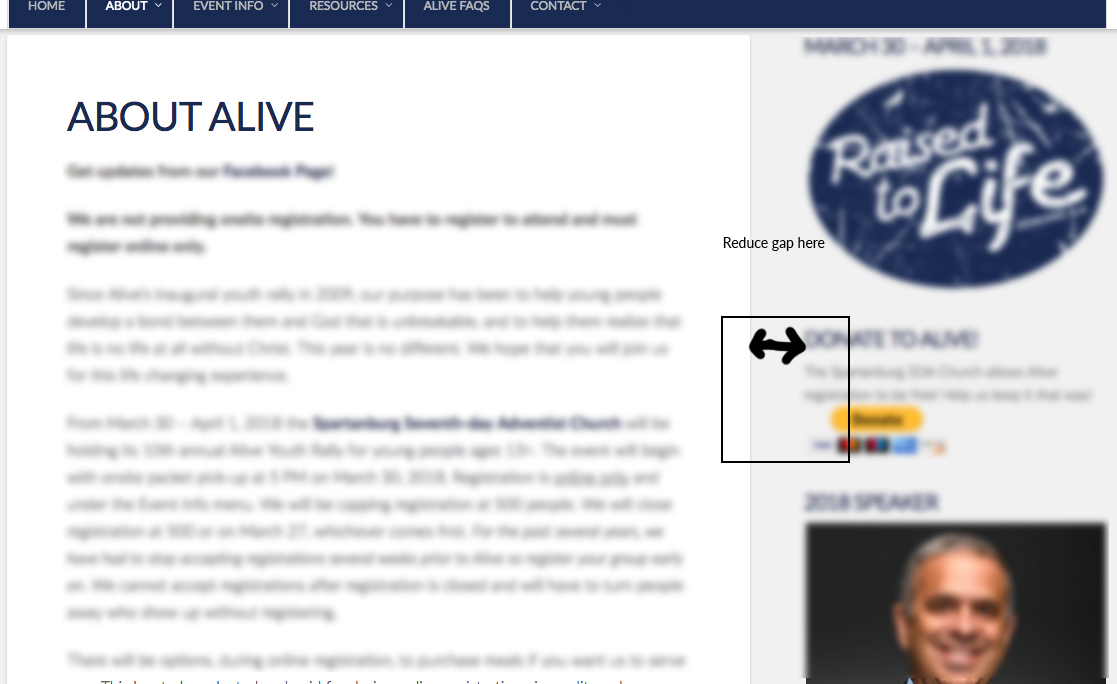
Is there a CSS fix for this? See attached. I have way too much space. I looked through support and a found full width fix, but I have a boxed layout. Thanks in advance!
Hello There,
Thanks for writing in!
Assuming that you have set 72% content width in X > Launch > Options > layout & Design, the sidebar should have at least 27% width. A one pixel width is left as a space between the content area and the sidebar. If you wish to adjust it, please add the following CSS code in the X > Launch > Theme Options > Global CSS (http://prntscr.com/evui3r)
.x-sidebar.left, .x-sidebar.right {
    width: 28%;
    padding-left: 10px;
    padding-right: 10px;
}
So 28 % + 72% will be 100%. Be sure not to exceed 100 or else the sidebar will display at the bottom. You may also adjust the paddings because by default it has 20 pixels.
Hope this helps. Please let us know how it goes.
You’re welcome!
Thanks for letting us know that it has worked for you.
This topic was automatically closed 10 days after the last reply. New replies are no longer allowed.