Hi
I want to reduce the button size. How do I go bout it?
Hi There,
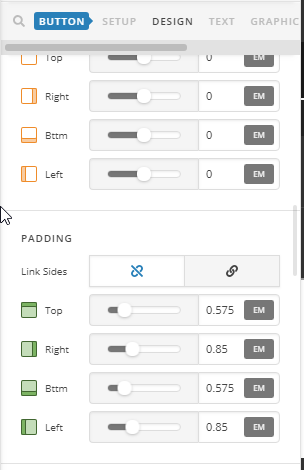
If you’re using the V2 button element, you can reduce the padding of button:
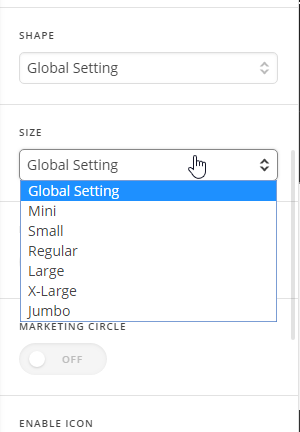
If you’re using the classic button element, you can select the size of button:
Hope it helps 
Hi!
I am afraid i am not using cornerstone but the text editor 
any help with that?
strangely even the mini becomes a bit large when using in the one third column.
Hi Abhishek,
Thank you for writing in, are you referring to the red button that is inside the Block Grid? If so, please add this to Theme Options > CSS
a.x-btn.my-button {
	padding: 5px 10px !important;
}
Adjust the 5px (top & bottom padding) and 10px (left & right padding) value where you see it fits.
Cheers!
thanks a lot!
You’re welcome!
This topic was automatically closed 10 days after the last reply. New replies are no longer allowed.