Reduce x-section width

Hi,
when I reduce x-section width via CSS the content go on the left: https://tozzistudio.com/elena-e-pavel-xxx/

Do you know why? I would like it to remain central.

I use this code:

.e3995-17.x-section {
width: 88%;
max-width: 800px;
}

.e3995-5.x-section {
width: 88%;
max-width: 800px;
}

.e3995-9.x-section {
width: 88%;
max-width: 800px;
}

.e3995-13.x-section {
width: 88%;
max-width: 800px;
}

.e3995-21.x-section {
width: 88%;
max-width: 800px;
}

Many thanks

Hello Thomas,

Thanks for reaching out. :slight_smile:

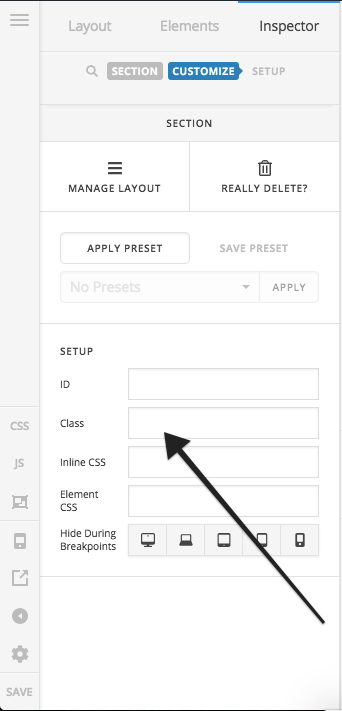
You can add a class to the Section under Customize > Setup > Class and then following CSS under X > Theme Options > CSS:

.center-section {
    margin: 0 auto !important;
}

Please change center-section class as per your requirement.

Thanks.

1 Like

Super! Works very good!

Many thanks! :blush:

You’re welcome :slight_smile:

This topic was automatically closed 10 days after the last reply. New replies are no longer allowed.