Reduce row padding in Portfolio

Hi there,

I would like to reduce the amount of padding between the rows on this page:

Can you tell me how? I’m using X 5.1.1 with child theme… Integrity stack. The items displayed are in the Portfolio so this is showing the “Portfolio” page layout and old school short code:

[vc_row][vc_column width=“1/1”][text_output]

Our portfolio of website design work, online marketing services and customer feedback on each project.

[/text_output][/vc_column][/vc_row]

If I need to convert this to a Cornerstone page, please just tell me how.

Thanks!
Dawn

Hi Dawn,

Thank you for writing in, please purge your entire caching (wp-rocket) and see if this resolve the issue.

Also please do a testing for a plugin conflict. You can do this by deactivating all third party plugins, and seeing if the problem remains. If it’s fixed, you’ll know a plugin caused the problem, and you can narrow down which one by reactivating them one at a time.

If nothing works, add this on the Theme Options > JS

jQuery(document).ready(function($){
  $(window).resize()
});

Let us know how it goes!

I have tried all your suggestions and nothing changes. To be clear, this has always been an issue on my site. I just have time finally to address it. No new plugin or update has caused it. And it ONLY applies to Portfolio page. See screenshot:

Thanks,
Dawn

Hi there,

I tried to access your website but the link you have provided throws an error:

The Portfolio section is using the iSotope plugin to have that grid like functionality. That plugin calculates the height of the grids to have them correctly on the page, for some reason it does not calculate the height correctly for your case and it adds that space. So it is not a problem of padding or margin, it is a problem of miscalculation.

That might be caused by different reasons. One important thing is the version of the iSotope library which maybe is served the old version because of the cache plugin.

The other reason can be the customization you may have in your child theme. So kindly enable the parent theme and see if it is working for you.

And finally, the way the page is set. I would do as follows:

  • Add a new page.
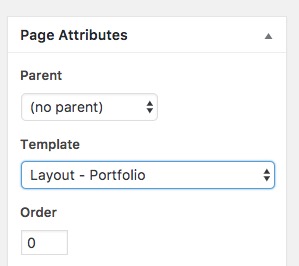
  • Set the Page Template to Portfolio:
  • Check the front end for the result.

Also, I would check for the image sizes of the Portfolio Feature Images and would upload the ones with the same size.

These are the tests I wanted to do if I could access your website.

Hope that helps.