Hi there,
I cannot for the live of me figure out how to remove this white space where the “BLOG” title on my blog post pages. This space is not there on any other normal webpages like home etc. It may also potentially be the headers as I have tried adding all css codes imaginable.
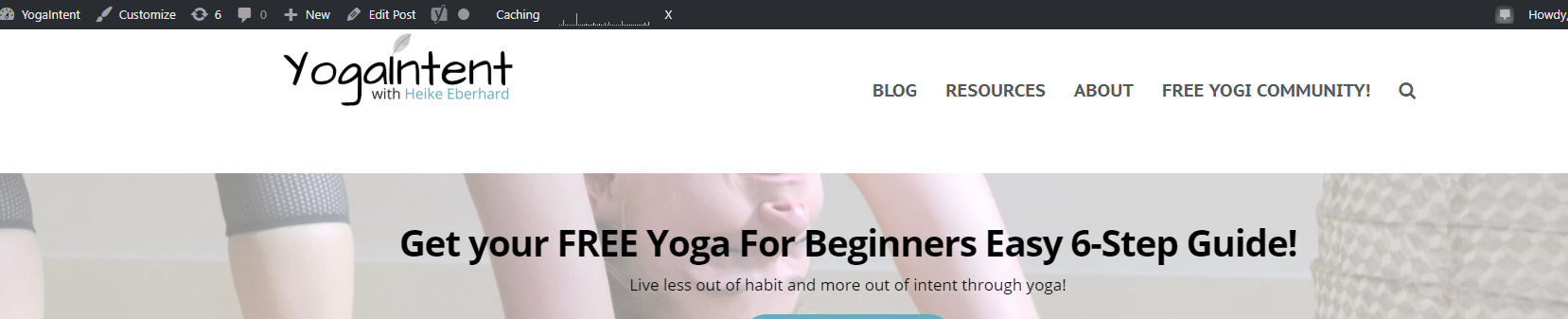
I currently have these global CSS codes for the website:
.single-post .entry-featured {
width:100%;
margin: auto;
display:block;
}
.x-colophon.bottom .x-social-global a {
font-size: 50px;
}
.x-colophon.top, .x-colophon.bottom.desktop {
border-top: medium none;
box-shadow: none;
padding-bottom: 0px;
}
@media ( max-width: 1024px )
{
.x-container.max
.x-topbar
{
	display:none;
}
.x-navbar-inner {
	min-height: 51px;
}

.x-brand
{
	font-size: 40px;
}
.p-meta {
	font-size: 12px;
}
h2, .h2
{
	font-size: 175%;
}
h3, .h3
{
	font-size: 175%;
}
}
.x-btn, .x-btn:hover, .button, .button:hover, [type=“submit”], [type=“submit”]:hover {
text-shadow: none;
}
.site, .x-navbar.x-navbar-fixed-top.x-container.max.width
{
width: 100%;
max-width: inherit;
}
.x-navbar{
height:80px;
}
.x-navbar .menu-item:hover .sub-menu{
display:block !important;
}
.x-colophon.top, .x-colophon.bottom {
border-top: medium none !important;
box-shadow: none !important;
}
.x-navbar .desktop .x-nav>li>a>span {
border:0;
}
.x-video.embed.with-container {
border: none;
box-shadow: none;
}
a.x-btn-navbar {
margin-top: 10px;
}
/Dropdown Nav/
.x-navbar-inner {
background-color: #fff;
}
/* Scroll Image*/
.x-bg-layer-lower-image {
background-attachment: fixed;
}
/Style Recent Posts/
h3.h-recent-posts {
color: black;
}
.x-recent-posts .x-recent-posts-date { display:none; }
.x-recent-posts a {
padding: 0;
}
.x-recent-posts a {
border: none;
}
.x-recent-posts .x-recent-posts-content {border:none;}
.x-recent-posts .h-recent-posts{
white-space:normal;
}
.x-recent-posts .h-recent-posts {
font-size: 22px;
}
.x-recent-posts .x-recent-posts-img:before {
content: none !important;
}
.x-recent-posts a:hover .h-recent-posts {
color: #000 !important;
}
.x-recent-posts .x-recent-posts-img:after {
background-color: transparent;
}
/Footer Details/
#menu-footer li > a {
font-size: 15px;
font-weight: bold;
}
/blog Post/
.post .entry-featured {
display: none;
}
.single-post .x-container.width.offset {
max-width: 100%;
width: 100%;
}
.post header.x-header-landmark, .single-post header.x-header-landmark {
display: none;
}
.post header.entry-header {
display: none;
}
ANy help woould be greatly appreciated 

