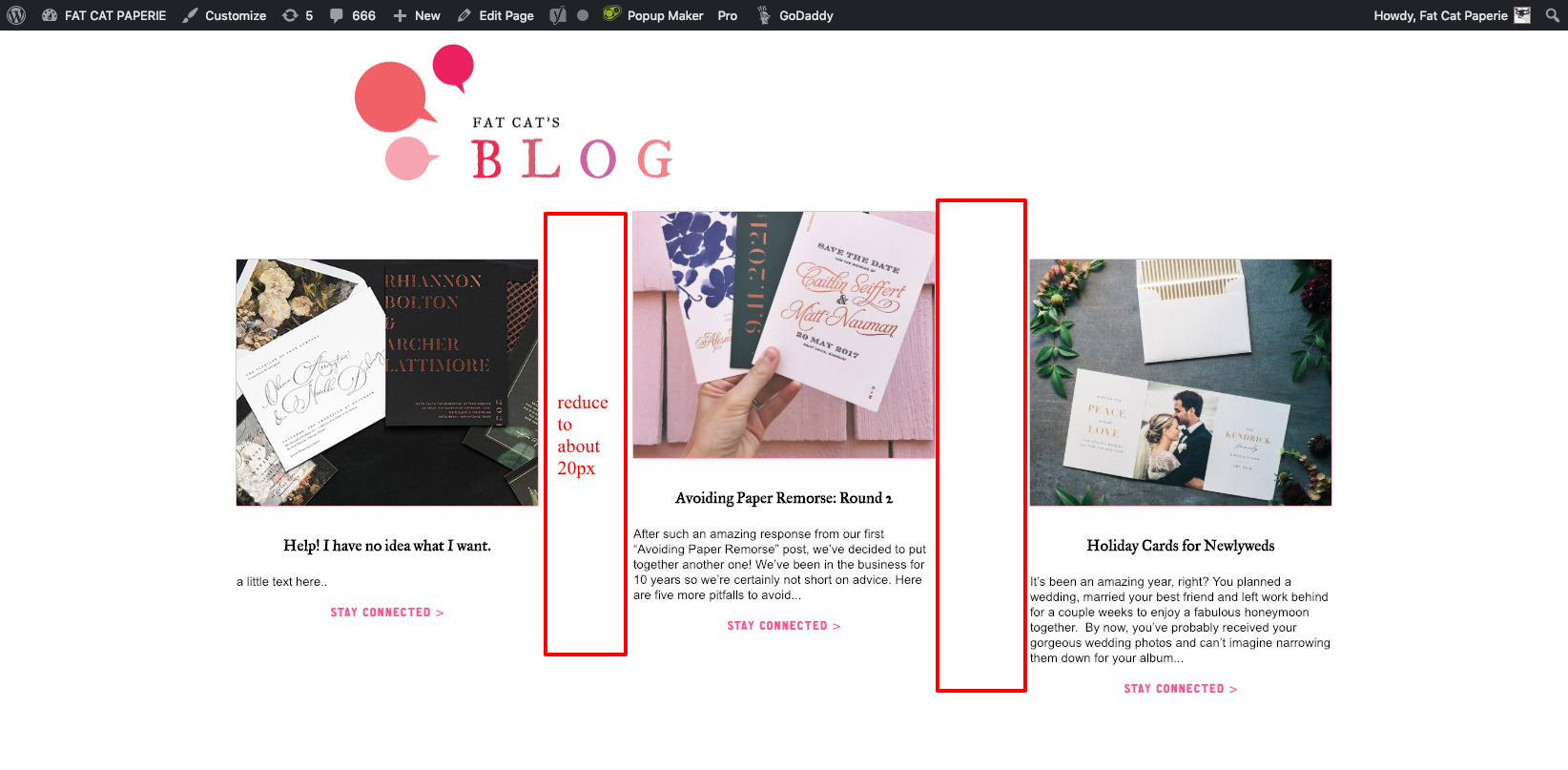
Recent posts with excerpt

Hi, I added recent posts with excerpt on my homepage here http://2e6.274.myftpupload.com/

and i added this to the functions.php to add the excerpt:

// Add Excerpts to the recent post element
// =============================================================================
function x_shortcode_recent_posts_v2code( $atts ) {
extract( shortcode_atts( array(
‘id’ => ‘’,
‘class’ => ‘’,
‘style’ => ‘’,
‘type’ => ‘post’,
‘count’ => ‘’,
‘category’ => ‘’,
‘offset’ => ‘’,
‘orientation’ => ‘’,
‘show_excerpt’ => ‘false’,
‘no_sticky’ => ‘’,
‘no_image’ => ‘’,
‘fade’ => ‘’
), $atts, ‘x_recent_posts’ ) );

$allowed_post_types = apply_filters( ‘cs_recent_posts_post_types’, array( ‘post’ => ‘post’ ) );
$type = ( isset( $allowed_post_types[$type] ) ) ? $allowed_post_types[$type] : ‘post’;

$id = ( $id != ‘’ ) ? ‘id="’ . esc_attr( $id ) . ‘"’ : ‘’;
$class = ( $class != ‘’ ) ? ‘x-recent-posts cf ’ . esc_attr( $class ) : ‘x-recent-posts cf’;
$style = ( $style != ‘’ ) ? ‘style="’ . $style . ‘"’ : ‘’;
$count = ( $count != ‘’ ) ? $count : 3;
$category = ( $category != ‘’ ) ? $category : ‘’;
$category_type = ( $type == ‘post’ ) ? ‘category_name’ : ‘portfolio-category’;
$offset = ( $offset != ‘’ ) ? $offset : 0;
$orientation = ( $orientation != ‘’ ) ? ’ ’ . $orientation : ’ horizontal’;
$show_excerpt = ( $show_excerpt == ‘true’ );
$no_sticky = ( $no_sticky == ‘true’ );
$no_image = ( $no_image == ‘true’ ) ? $no_image : ‘’;
$fade = ( $fade == ‘true’ ) ? $fade : ‘false’;

$js_params = array(
‘fade’ => ( $fade == ‘true’ )
);

$data = cs_generate_data_attributes( ‘recent_posts’, $js_params );

$output = “<div {$id} class=”{$class}{$orientation}" {$style} {$data} data-fade="{$fade}" >";

$q = new WP_Query( array(
  'orderby'             => 'date',
  'post_type'           => "{$type}",
  'posts_per_page'      => "{$count}",
  'offset'              => "{$offset}",
  "{$category_type}"    => "{$category}",
  'ignore_sticky_posts' => $no_sticky
) );

if ( $q->have_posts() ) : while ( $q->have_posts() ) : $q->the_post();

  if ( $no_image == 'true' ) {
    $image_output       = '';
    $image_output_class = 'no-image';
  } else {
    $image              = wp_get_attachment_image_src( get_post_thumbnail_id(), 'entry-cropped' );
    $bg_image           = ( $image[0] != '' ) ? ' style="background-image: url(' . $image[0] . ');"' : '';
    $image_output       = '<div class="x-recent-posts-img"' . $bg_image . '></div>';
    $image_output_class = 'with-image';
  }

   $excerpt = ( $show_excerpt ) ? '<div class="x-recent-posts-excerpt"><p style="color:initial;">' . preg_replace('/<a.*?more-link.*?<\/a>/', '', cs_get_raw_excerpt() ) . ' read more</p></div>' : '';

  $output .= '<a class="x-recent-post' . $count . ' ' . $image_output_class . '" href="' . get_permalink( get_the_ID() ) . '" title="' . esc_attr( sprintf( __( 'Permalink to: "%s"', 'cornerstone' ), the_title_attribute( 'echo=0' ) ) ) . '">'
             . '<article id="post-' . get_the_ID() . '" class="' . implode( ' ', get_post_class() ) . '">'
               . '<div class="entry-wrap">'
                 . $image_output
                 . '<div class="x-recent-posts-content">'
                   . '<h3 class="h-recent-posts">' . get_the_title() . '</h3>'
                   . '<span class="x-recent-posts-date">' . get_the_date() . '</span>'
                       . $excerpt
                 . '</div>'
               . '</div>'
             . '</article>'
           . '</a>';

endwhile; endif; wp_reset_postdata();

$output .= ‘’;

return $output;
}

// =============================================================================

add_action(‘wp_head’, ‘change_recent_posts_to_v2’);
function change_recent_posts_to_v2() {
remove_shortcode( ‘x_recent_posts’ );
add_shortcode( ‘x_recent_posts’, ‘x_shortcode_recent_posts_v2code’ );
}
// =============================================================================

It was working for a while but now it stopped. I cant figure out why. Any idea?

Thanks !!!
Rena
Hello Rena,

Does you issue happened right after you have updated the theme to the latest version? Please provide us access to your site so we can investigate. Meanwhile, this could also be caused by a 3rd party plugin. You could try testing for a plugin conflict. You can do this by deactivating all third party plugins, and seeing if the problem remains. If it’s fixed, you’ll know a plugin caused the problem, and you can narrow down which one by reactivating them one at a time.

Please let us know how it goes.

I deactivated all plugins but the issue still remained.

Ill attach my info. Im not sure if it happened after I updated. I didn’t realize it for a while. It may have been after wordpress update.

Hello Rena,

Please try using the code from here instead:

Hope this helps.

Tried that but still not working

Hi Rena,

Is there a chance that you can also provide us with your FTP details so that can we can check this further?

Thank you.

Sure, I have file in there posts_loop_template.php and i cant remember if I put that there. But anyhow i tried deleting it but that didnt fix it. I also changed ‘content’ to ‘excerpt’ but that didnt work either.

Ill attach ftp info. Appreciate the help.

Hi Rena,

I have updated your functions.php file with the following code.

function x_shortcode_recent_posts_v2( $atts ) {
  extract( shortcode_atts( array(
    'id'           => '',
    'class'        => '',
    'style'        => '',
    'type'         => 'post',
    'count'        => '',
    'category'     => '',
    'offset'       => '',
    'orientation'  => '',
    'show_excerpt' => 'true',
    'no_sticky'    => '',
    'no_image'     => '',
    'fade'         => ''
  ), $atts, 'x_recent_posts' ) );

  $allowed_post_types = apply_filters( 'cs_recent_posts_post_types', array( 'post' => 'post' ) );
  $type = ( isset( $allowed_post_types[$type] ) ) ? $allowed_post_types[$type] : 'post';

  $id            = ( $id           != ''     ) ? 'id="' . esc_attr( $id ) . '"' : '';
  $class         = ( $class        != ''     ) ? 'x-recent-posts cf ' . esc_attr( $class ) : 'x-recent-posts cf';
  $style         = ( $style        != ''     ) ? 'style="' . $style . '"' : '';
  $count         = ( $count        != ''     ) ? $count : 3;
  $category      = ( $category     != ''     ) ? $category : '';
  $category_type = ( $type         == 'post' ) ? 'category_name' : 'portfolio-category';
  $offset        = ( $offset       != ''     ) ? $offset : 0;
  $orientation   = ( $orientation  != ''     ) ? ' ' . $orientation : ' horizontal';
  $show_excerpt  = ( $show_excerpt == 'true' );
  $no_sticky     = ( $no_sticky    == 'true' );
  $no_image      = ( $no_image     == 'true' ) ? $no_image : '';
  $fade          = ( $fade         == 'true' ) ? $fade : 'false';

  $js_params = array(
    'fade' => ( $fade == 'true' )
  );

  $data = cs_generate_data_attributes( 'recent_posts', $js_params );

  $output = "<div {$id} class=\"{$class}{$orientation}\" {$style} {$data} data-fade=\"{$fade}\" >";

    $q = new WP_Query( array(
      'orderby'             => 'date',
      'post_type'           => "{$type}",
      'posts_per_page'      => "{$count}",
      'offset'              => "{$offset}",
      "{$category_type}"    => "{$category}",
      'ignore_sticky_posts' => $no_sticky
    ) );

    if ( $q->have_posts() ) : while ( $q->have_posts() ) : $q->the_post();

      if ( $no_image == 'true' ) {
        $image_output       = '';
        $image_output_class = 'no-image';
      } else {
        $image              = wp_get_attachment_image_src( get_post_thumbnail_id(), 'entry-cropped' );
        $bg_image           = ( $image[0] != '' ) ? ' style="background-image: url(' . $image[0] . ');"' : '';
        $image_output       = '<div class="x-recent-posts-img"' . $bg_image . '></div>';
        $image_output_class = 'with-image';
      }

      $excerpt = ( $show_excerpt ) ? '<div class="x-recent-posts-excerpt"><p>' . preg_replace('/<a.*?more-link.*?<\/a>/', '', cs_get_raw_excerpt() ) . '</p></div>' : '';

      $output .= '<a class="x-recent-post' . $count . ' ' . $image_output_class . '" href="' . get_permalink( get_the_ID() ) . '" title="' . esc_attr( sprintf( csi18n('shortcodes.recent-posts-permalink'), the_title_attribute( 'echo=0' ) ) ) . '">'
                 . '<article id="post-' . get_the_ID() . '" class="' . implode( ' ', get_post_class() ) . '">'
                   . '<div class="entry-wrap">'
                     . $image_output
                     . '<div class="x-recent-posts-content">'
                       . '<h3 class="h-recent-posts">' . get_the_title() . '</h3>'
                       . '<span class="x-recent-posts-date">' . get_the_date() . '</span>'
                        . $excerpt
                     . '</div>'
                   . '</div>'
                 . '</article>'
               . '</a>';

    endwhile; endif; wp_reset_postdata();

  $output .= '</div>';

  return $output;

}

add_filter('wp_head', 'custom_recent_posts');

function custom_recent_posts() {
  remove_shortcode( 'x_recent_posts' );
  remove_shortcode( 'recent_posts' );
  add_shortcode( 'x_recent_posts', 'x_shortcode_recent_posts_v2' );
  add_shortcode( 'recent_posts', 'x_shortcode_recent_posts_v2' );
}

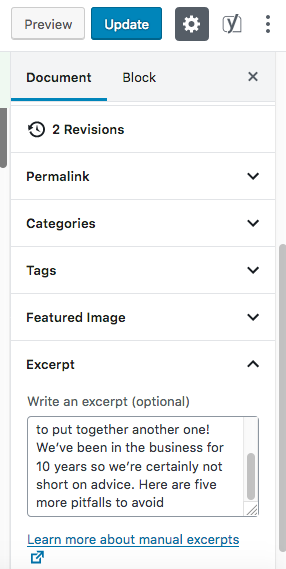
You also need to add an excerpt under your post settings and it should display in the frontend.

Check the secure note, for an example test page that I have setup.

Thanks!

Hi!
Thank you for all of that! Just one thing, the “read more” button is now gone. How can I add that?

Thanks for everything,
Rena

Hi Rena,

I’ve updated the code a bit and the read more button is showing right now:

Cheers!

Thank you both so much!! I really appreciate it.

Rena

You are most welcome. :slight_smile:

Hi,
I just have another question about these recent posts. How can i reduce the margins as shown in the pic?? Ive tried using the inspector and reducing with css but cant seem to get it right.

Thanks again
Rena

Hi Rena,

Please add this code in the Global CSS:

.blogposts.x-recent-posts .x-recent-posts-img {
    margin: 0;
    width: 100%;
}

.blogposts.x-recent-posts a {
    margin-right: 2%;
    width: 32%;
}

.blogposts.x-recent-posts a:last-child {
    margin-right: 0;
}

Hope this helps.

Is it possible to have this solution for just one category?

Hello Suzzane,

Would you mind specifying which step are you trying to replicate out of this thread as there are several questions raised previously.

Also, kindly post a new thread to avoid confusion.

Thank you.

This topic was automatically closed 10 days after the last reply. New replies are no longer allowed.