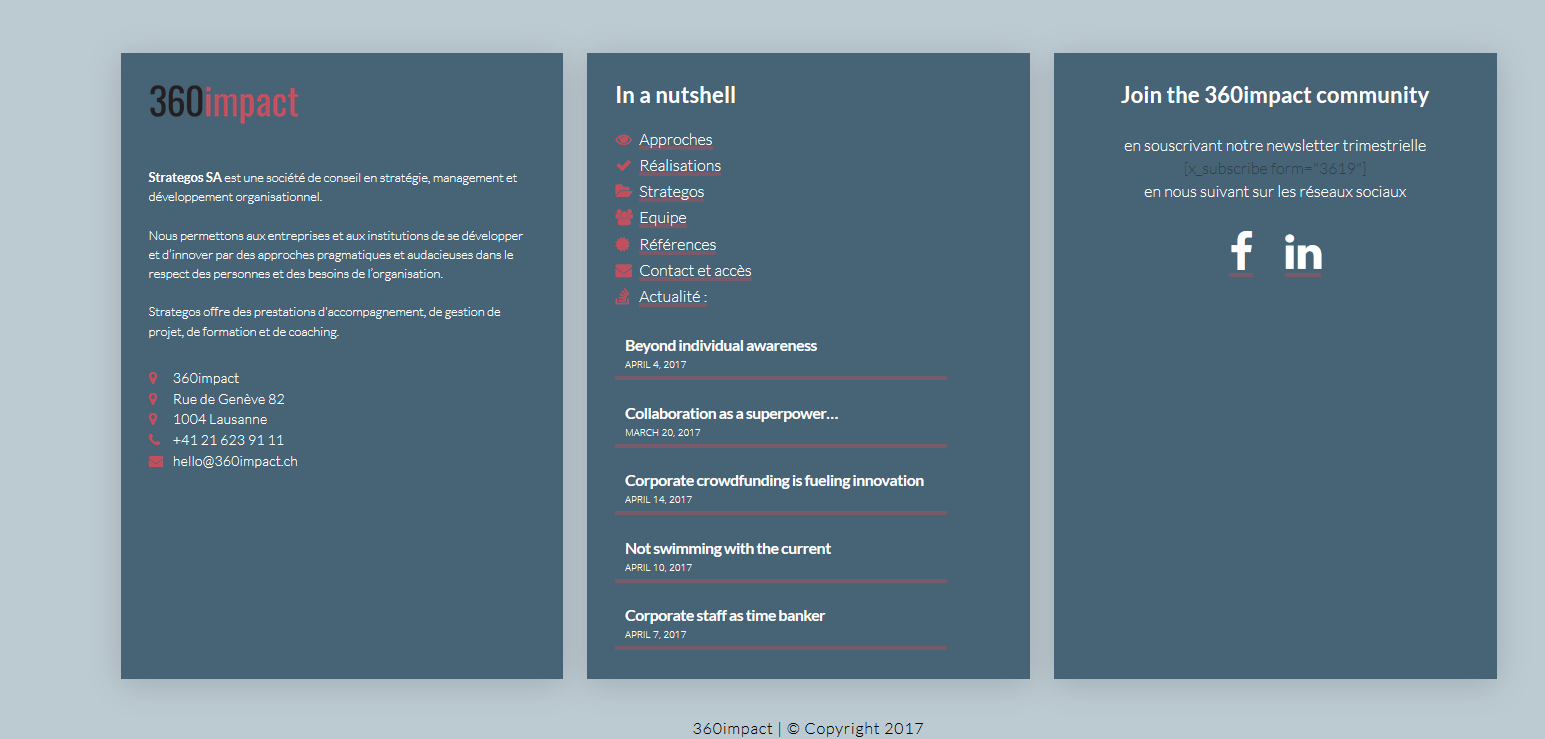
Recent posts count not displaying correctly in footer

Hey there,

On https://strategos.ch (Pro 1.1.1) I have 3 posts displaying in the footer as planned. Whereas with the same code [recent_posts count=“3” no_image=“true” orientation=“vertical”], I get 5 on http://360impact.ch (Pro 1.2.4-RC1).

Could you advise?

Thanks and have a good day.

PS I posted this also in the beta forum, and wanted to erase this posts, but couldn’t ;-(

Hey,

You need to check the number post that will be displayed at Dashboard > Appearance > Widgets > Recent Post

Hey,

I did change it, but it didn’t affect the result as I don’t use the widget to display the recent posts in the Pro footer. I use the short code above.

Please advise, thanks

Sandra

In the middle column, at the bottom, Strategos --> 3 posts

360impact.ch --> 5 posts (same code)

Hello Sandra,

Thanks for sending out the screenshots. I am seeing that too in my browser. Please check your text widget and update your recent post shortcode in to this:

[x_recent_posts count="3" no_image="true" orientation="vertical" no_sticky="true"]

Please let us know how it goes.

Hey RueNel.

Problem solved https://360impact.ch/, thank you.

Best wishes,

Sandra

Glad to hear it’s sorted, Sandra.

This topic was automatically closed 10 days after the last reply. New replies are no longer allowed.