Hi team
In the ‘recent blog posts’ section on my home page, the images of my blog posts are being cut off. It doesn’t show the entire image. Can you help please? See below
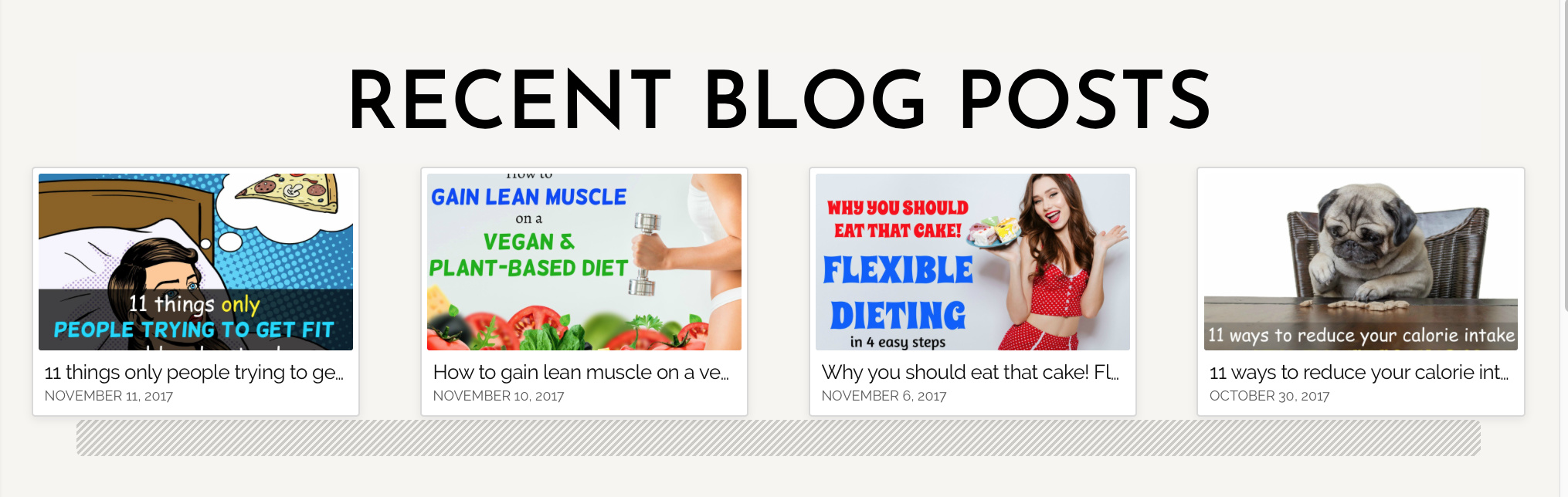
Hi There,
Thanks for writing in!
Please add the bellow CSS to your custom css, it will work.
.x-recent-posts .x-recent-posts-img {
background: center center/100% no-repeat;
}
If that doesn’t work please send us your website URL with login details in a secure note, we will have a look.
Thanks
Hi Basanta,
That didn’t work. My website hasn’t launched and I don’t know how to give you access from the back-end. Any other option?
Thanks
Ramona
Hi Ramona,
Please add this to your page CSS and clear your browser’s cache and your caching plugin (if you have any) before you preview the site.
.x-recent-posts .x-recent-posts-img {
	background-size: 100% 100% !important;
}
Make sure that your images have a 16:9 aspect ratio, so they won’t look squeeze inside the recent posts element.
Hope it helps,
Cheers!
1 Like
It worked! You’re amazing! Thank you!!
You’re welcome!
Thanks for letting us know that it has worked for you.
1 Like
This topic was automatically closed 10 days after the last reply. New replies are no longer allowed.