Hi lennart,
Thank you for reaching out to us. I tested the following code and it works fine:
// Excerpt More String
// =============================================================================

if ( ! function_exists( 'x_excerpt_string' ) ) :
  function x_excerpt_string( $more ) {

    $stack = x_get_stack();

    if ( $stack == 'integrity' ) {
      return ' ... <div><a href="' . get_permalink() . '" class="more-link">' . __( 'Read More', '__x__' ) . '</a></div>';
    } else if ( $stack == 'renew' ) {
      return ' ... <a href="' . get_permalink() . '" class="more-link">' . __( 'Read More', '__x__' ) . '</a>';
    } else if ( $stack == 'icon' ) {
      return ' ...';
    } else if ( $stack == 'ethos' ) {
       return ' ... <a href="' . get_permalink() . '" class="more-link">' . __( 'Read More', '__x__' ) . '</a>';

    }

  }
  add_filter( 'excerpt_more', 'x_excerpt_string' );
endif;
Make sure you’re adding it in the child theme’s functions.php file. Also make sure the EXCERPT LENGTH is set correctly under Theme Options > Blog > Content (see screenshot)
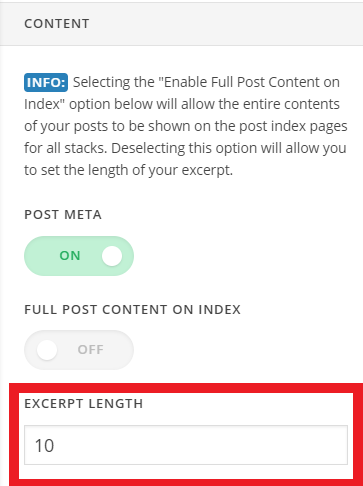
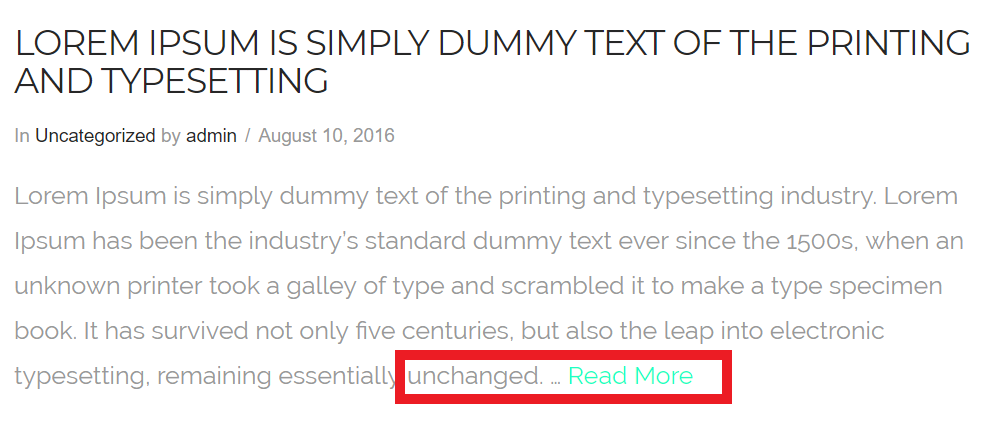
You can adjust the value as per your need. When i test it in my local setup i see the Read More button (see screenshot)
Hope this helps!
