Questions about portfolio

Hello,
I am currently working on my X theme site (integrity) and have a couple of questions:

  • how can I change the order of the portfolio (without having to delete and upload them in the right order)?
  • how can I put a text in top of the portfolio, to introduce it?
  • how can I align the portfolio items?
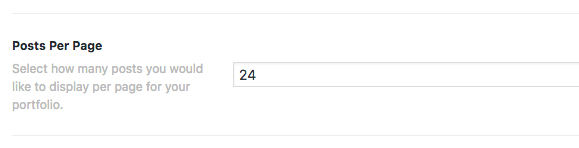
  • how can I put all the items on 1 page (I can’t seem to fill in more then 24 at posts per page at portfolio settings)

I hope you van help me out, thank you!
Hi There,

Thanks for writing in!

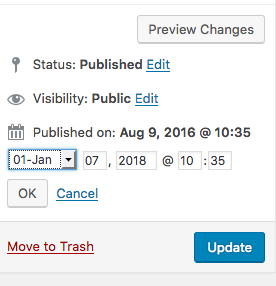
1.Default sorting will be done using the published date. To change the order, you can simply change the published date.

  1. To add some introduction, try adding the following Javascript code into your Theme Options > Global JS area and change the test accordingly.
jQuery(document).ready(function($) {
  $( "<p>Introduction paragraph</p>" ).insertBefore('.page-template-template-layout-portfolio .x-header-landmark');
});
  1. Could you please provide us with the URL to your portfolio page and mention how you want it to be aligned.

  2. To increase the portfolio items, Edit the Portfolio page and under Portfolio settings, you will see an option saying “Portfolio Per Page” to change the value.

Thanks!

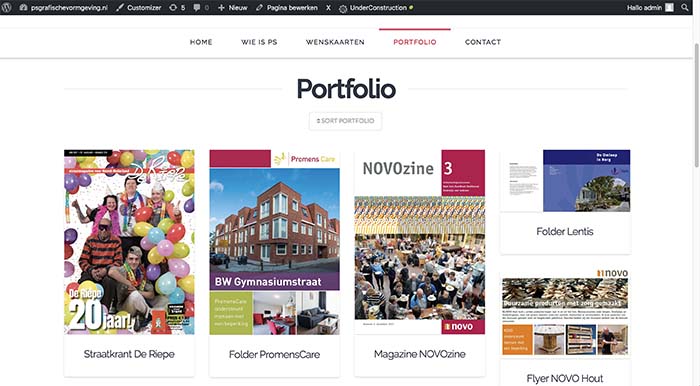
Hello, thank you for your answers! My site isn’t online already so I can’t send you the URL. But what I mean with align my portfolio page is that all the images are all the same size… then the alignment will be automatically fine. Can you help me with this? Thank you!

This is the screenshot

And I have another question, if I click on the image on my portfolio page, you go to the next page to see the details. But the image is really big on that page. How can I reduce the size of this image?
Thank you!

Hi There,

Could you please post a screenshot of your Portfolio page, so that we can assist you with a possible workaround for that.

To reduce single portfolio image size, try adding the following CSS rule into your Theme Options > Global CSS area.

.single-x-portfolio .entry-featured {
    width: 50%;
}

Thanks!

This topic was automatically closed 10 days after the last reply. New replies are no longer allowed.