Queries on main navigation menu

Hi, kindly help us with these:

  1. How to display sub-menu items at mouse hover rather than mouse click?
  2. Is it possible to make the sub-menu items appear on the right side rather than the left on mouse hover?
  3. How to change the symbol for drilling down (double downward arrows) for sub-menu items?
  4. How to change font sizes in navigation menu?

Thanks.

Hi,

  1. Sub menus are being displayed on hover just like in our demo

http://demo.theme.co/integrity-1/

  1. You can add this in Theme Options > CSS
.masthead-inline .x-navbar .desktop .sub-menu {
    left: 0;
    right: auto;
}
  1. You an add this in Theme Options > CSS
.x-navbar .desktop .x-nav li>a>span:after {
    content: "\f103";
}

Chnage \f103 with the unicode of the icon that you like.

https://fontawesome.com/cheatsheet

  1. You can change it under Theme Options > Header > LINKS – TEXT

Hope this helps.

Hi Paul,

Thank you for the solutions. Solutions for points 2, 3, and 4 are working fine.

Point 1 about displaying sub-menu items at mouse hover rather than on mouse click is not working. We checked in two web browsers and the sub-menu items even in http://demo.theme.co/integrity-1/ get displayed on mouse click… and not on mouse hover. We have to “click” on HOME, SHORTCODES, PAGES in order to see the sub-items below them.

Regards.

Hi there,

I have just checked and the sub menu items for the Integrity 1 demo are displaying on mouse hover without need to be clicked. See screencast below:
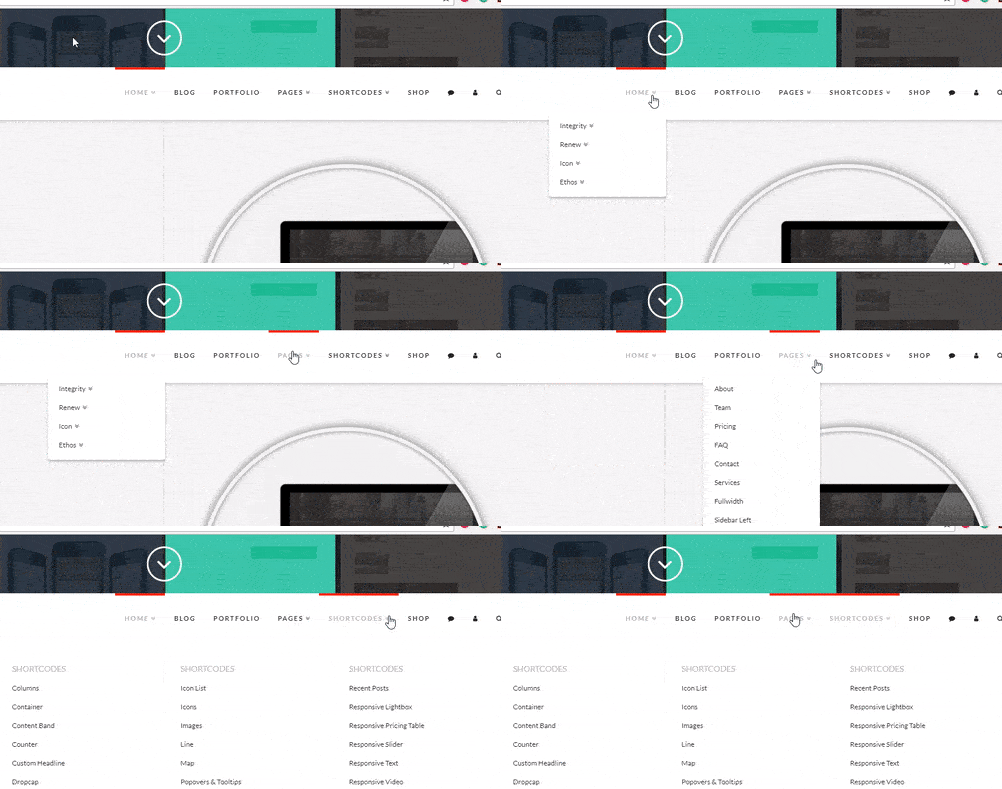
Perhaps you are talking about the mobile menu? If so, by default the submenu items will be displayed as you tap on the main menu item.

In case you are seeing this issue on your site, where you need to click the menu item on desktop for the sub menu to be displayed, kindly try first to clear your browser cache. If it does not change anything, try testing for plugin conflict. You can do this by deactivating all third party plugins, and seeing if the problem remains. If it’s fixed, you’ll know a plugin caused the problem, and you can narrow down which one by reactivating them one at a time.

If the issue persists, please provide us with the URL of your site so that we can check it further and kindly provide us with the admin access to your site if you have an under construction page active. Kindly place the logins in a Secure Note which is the key icon under your replies.

Thank you.

You’re right Jade. It’s working.

This problem is persisting at our end only on one computer. It seems something to do with that computer, where mouse hover just is not working on Integrity… neither in Chrome nor in Firefox. We’ll try sharing a screencast.

Thanks for the detailed response.

You are most welcome!

Happy to help any time!

This topic was automatically closed 10 days after the last reply. New replies are no longer allowed.