All of the thumbnail gallery images suddenly showing long black bars after the image. This just started happening recently.
Hello there! I see. Anything you’ve done recently just before you noticed this? It could be a plugin update or any additional custom CSS you’ve added? These are possible culprits.
One that catches my attention is when checked your site’s HTML code via the browser that WooCommerce is versioned 3.7.0. Can you confirm that that is the current version you’re using?
If so, this is one possible culprit. It’s a recent update by WooCommerce, dating just 3 days, so it’s possible there was an oversight on their part.
What i would suggest is for you to try rolling back to the previous version of Woo and see if it fixes the issue? i would suggest doing it on a staging site rather than on the live site to avoid downtimes.
If you already have a staging site available, great! If not, follow this guide: https://www.wpbeginner.com/wp-tutorials/how-to-create-staging-environment-for-a-wordpress-site/.
To easily roll back to a previous version of a plugin, like WooCommerce, there’s a plugin named WPRollback that you can try out.
If you tried rolling back and it didn’t solve the problem, feel free to come back to us for help. Along with that, please include the answer to the question I asked earlier (actions you’ve done before noticing the problem) and your Wordpress login details (in a secure note).
Thanks.
I have downgraded to 3.6.5 and still having the issue. I have disabled most of my plugins that would have been installed in the last 2 weeks and caused the problem. I have added no custom CSS. I will included login in a secured note. thank you.
Hello thank you for sharing your details. I’ve been able to successfully log in.
I’d like to confirm if this is what it looked like previously:
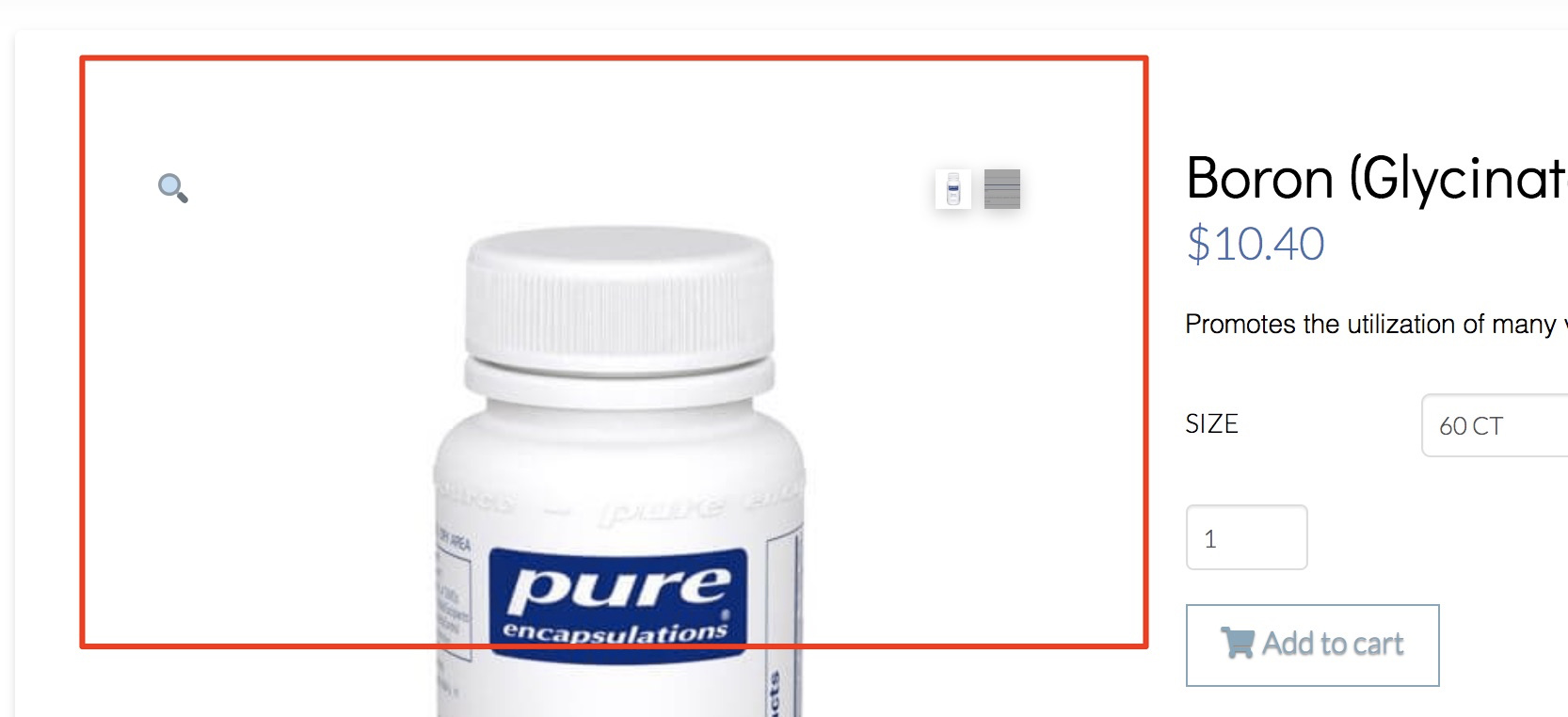
Based on tests I conducted on my own Wordpress install (as I didn’t want to touch anything on your site as much as possible), the most likely cause is the Blog Designer plugin.
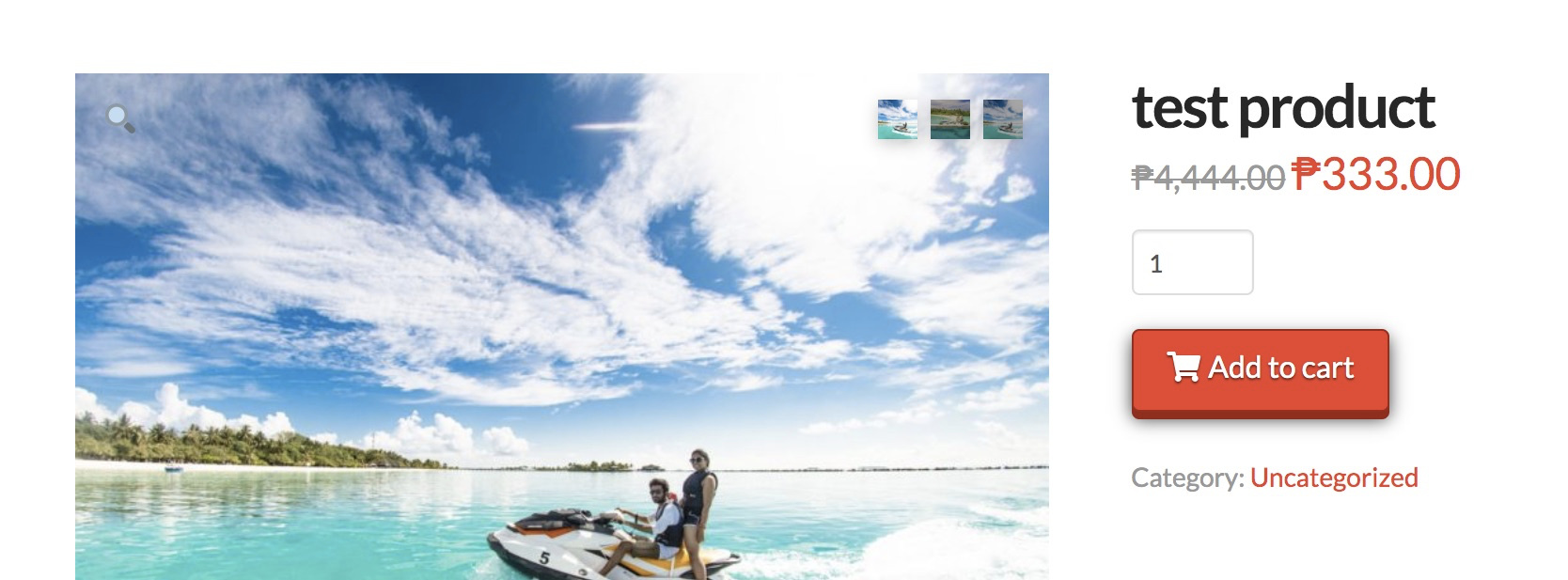
I had WooCommerce slider look like this without that plugin…
… then it looked like this with it.
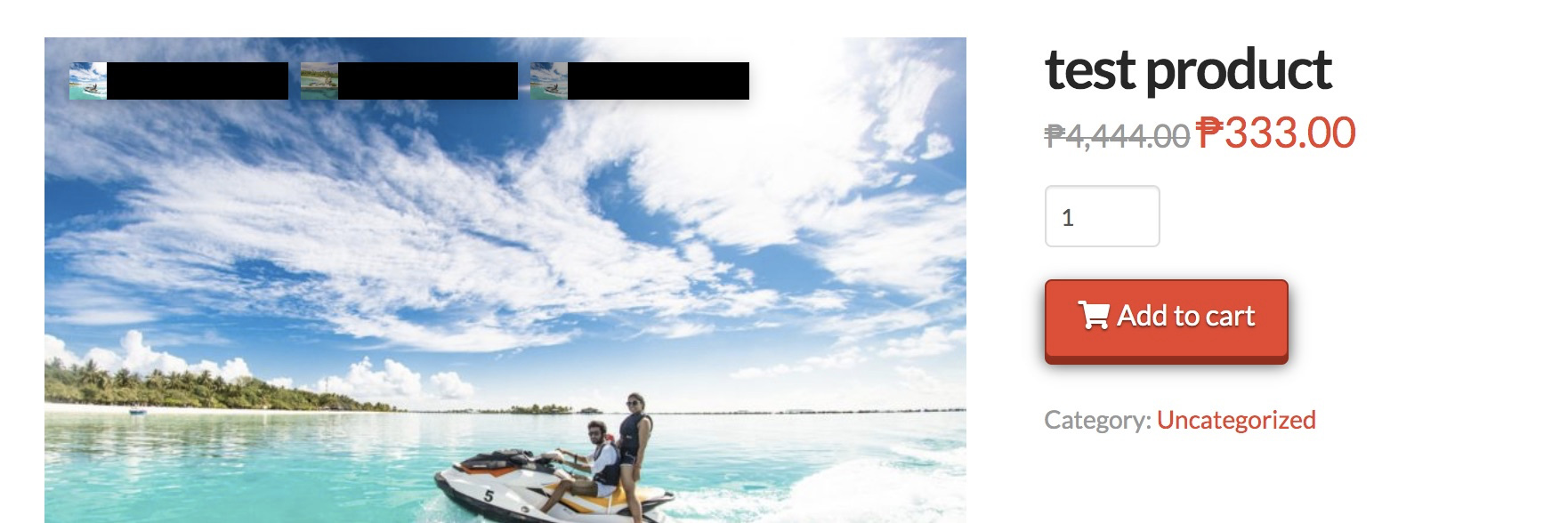
So I suggest you try disabling it first. Then once proven that it’s the real reason, you can modify the settings of that plugin. If custom code is necessary, you might want to take that route as well.
All the best.
thank you. that worked. never would have thought it was that plugin since I’ve had it installed since the site build.
We’re glad it’s resolved now. Plugins, themes and Wordpress itself are all unpredictable, unfortunately. One day they work and the next they might not. But, hey, when things go wrong, you can reach out to us.
This topic was automatically closed 10 days after the last reply. New replies are no longer allowed.