It says there is an update available for the calendar, but it also says that I am not able to download it. I’m getting the following picture at the top of my event page. I’m not sure how to resolve this problem and can’t get into the settings page. Please assist 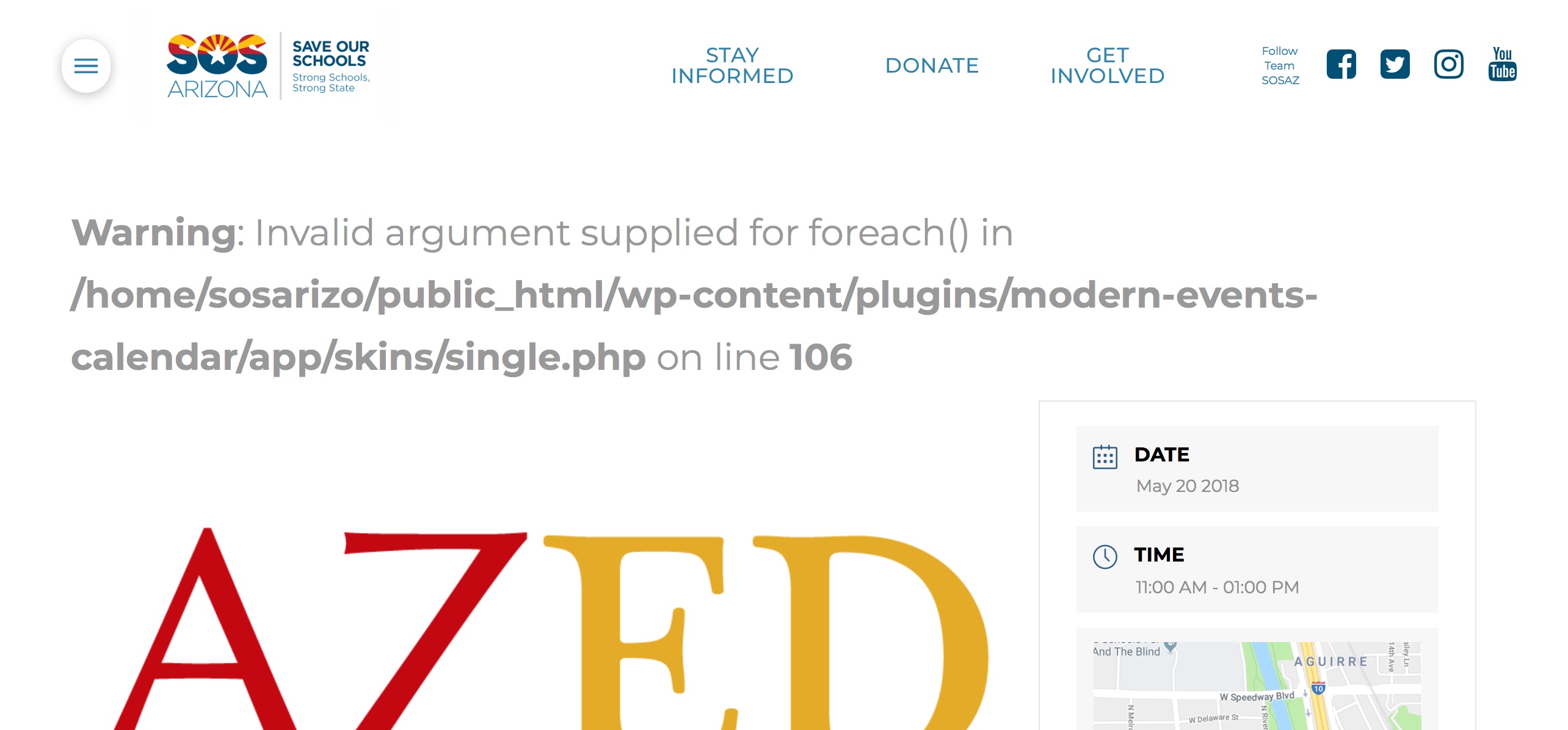
Hi @adminsosaz,
Thanks for writing in.
It sounds like you might be having an issue with a third party plugin or script. Regretfully, we cannot provide support for third party plugins or scripts as our support policy in the sidebar states due to the fact that there is simply no way to account for all of the potential variables at play when using another developer’s plugin or script. Because of this, any questions you have regarding setup, integration, or troubleshooting any piece of functionality that is not native to X will need to be directed to the original developer.
You might want to check the link below for more information about this problem.
Thank you for your understanding.
The text clearly mentions MEC though, which is what lead me to believe the problem was there.
MEC is part of the X Pro program. It was a part of the package. Who do I contact?
Hi,
Yes, MEC is part of bundled plugins for PRO and we also provide support as much as we can.
I have MEC installed on my test sites but could not replicate this issue.
You can try updating your MEC plugin manually using FTP.
- From Downloads in your ThemeForest account, click Download next to X and choose: All Files & Documentation download from ThemeForest. Unzip, and you will find an extensions folder containing zips for all our Extensions.
- Unzip modern-events-calendar.zip on your computer.
- Rename the modern-events-calendar folder to modern-events-calendar-updating.
- Connect to your server via FTP and navigate to your /wp-content/plugins/ directory.
- Drag and drop the modern-events-calendar-updating folder into your plugins directory.
- Upon completion, rename the previous modern-events-calendar folder to modern-events-calendar-previous.
- Rename modern-events-calendar-updating to modern-events-calendar. Your plugin will now be at the latest version.
- Delete the modern-events-calendar-previous folder.
- Visit the WordPress dashboard at least once to ensure any migration logic can run (this happens behind the scenes).
If that doesn’t help, please disable login text verification so we can login and take a closer look.
Thanks
This topic was automatically closed 10 days after the last reply. New replies are no longer allowed.