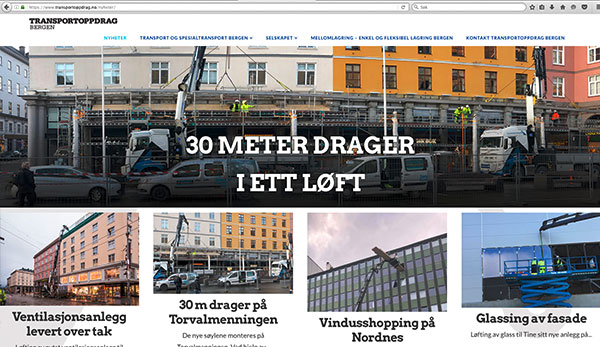
Problems at pageload

At pageload all text and the background picture of the first row and widget are squeesed togheter at the left side of the screen. After a small scrolling of the page it shows correct. I have attached 2 pictures of the problem and how it should look like at pageload.

The row and widget are made with Site Origin Page Builder.

This problems happens in some browsers, not always.
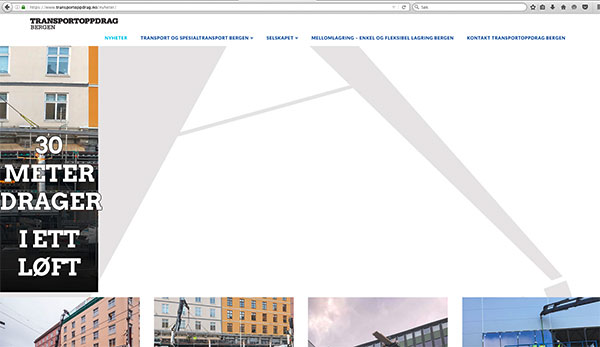
at-launch

Correct:

Correct

Hello @kludrik,

I checked the page that you mentioned and did tried to load it several times but I am not able to replicate the issue that you mentioned since the pages always loads without any issue:

Perhaps it is something related to your cache so kindly try to make sure to clear your browser and site’s cache.

Hope this helps.

How do I clear the cache in a correct way?

Hey @kludrik,

If you’re using a caching plugin, please contact the plugin author for instructions or refer to the plugin’s documentation.

For the browser’s cache, refer the browser’s documentation or you can read articles like this https://clear-my-cache.com/en/windows.html

Lastly, please note that we do not provide support for 3rd party plugins. If you encounter more issues with Site Origin Page Builder, please contact the author of that plugin.

Thanks.

This topic was automatically closed 10 days after the last reply. New replies are no longer allowed.