Problem with responsive class in tabs section

Hello,

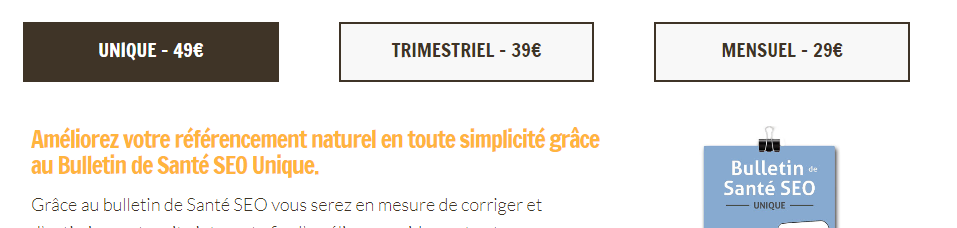
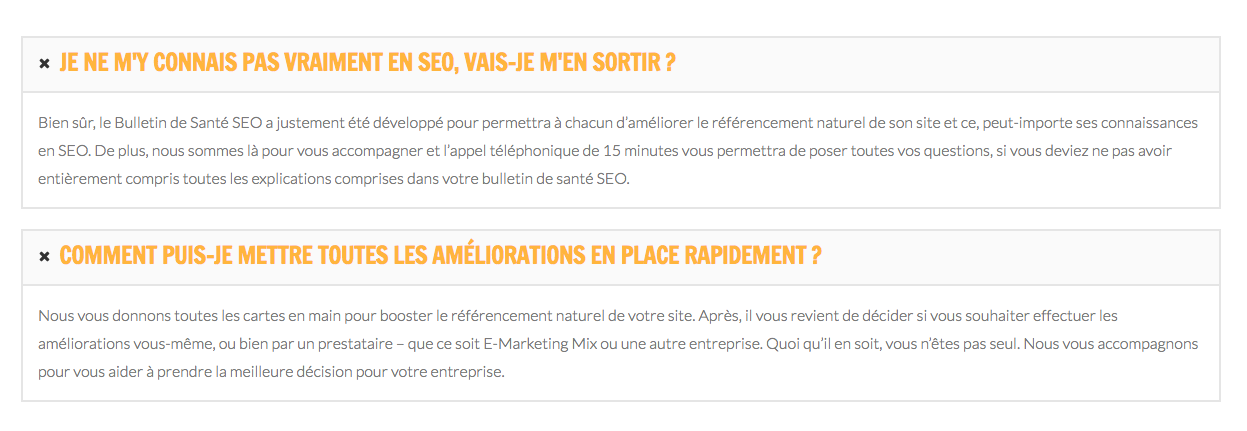
I am using exactly the same code on three tabs of in the same section, but the responsive class ‘resp-h6’ does not appear to make the same size of the titles (in yellow). Could you please help me to understand why there is a difference between the first tab (bigger font for the titles) and the other two tabs (smaller font)?
I’d like it to be in the way it is on the first tab for all the tabs.

URL: https://e-marketingmix.com/referencement-et-contenu-web/abonnement-bulletin-de-sante-seo/

Thanks,
Antoine
Hi there,

I checked your website and could not find the three tabs you are talking about. I see 2 tabs with the exactly identical style:

Would you please kindly give a screenshot of the section you are talking about? maybe I misunderstood the question.

Thank you.

Hello,

Sorry for the confusion, I did not my the accordion, but the tabs at the top of the page

I noticed that there is always one of the three tab with a bigger font, it however doesn’t always is the same tab…

Thanks,
Antoine

Hey Antoine,

This is because you applied reponsive text class resp-p-med to your tabs. Please remove it. Responsive text changes the font size depending on the current amount of text and the text container’s width so the text in your tabs won’t be the same as they differ in the amount of text.

Removing reponsive text will make all your font size the same and will make it flow within the container and not adjust in size.

Thanks.

Hello,

Thanks for your response. I could of course remove the responsive class. However, I used responsive class because I’d like the text to be responsive.

It does not quite explain why the text is sometimes bigger on the first tab, sometimes on the second tab and sometimes on the third tab. It clearly shows that is does not come from the length of the text (the length is pretty similar anyway).

Well, if there is no other solution, I will remove the responsive class. But I hoped I could get an explanation about this strange think that I can’t explain myself…

Thanks,
Antoine

Hi there,

You can’t add it since the tab has multiple structures. You can only use responsive text direct to the element. Example,

<p class="resp-p-med">This is a text</p>

But this won’t work, if other structures has local font styling

<p class="resp-p-med"><a href=""><span class="class-text">This is a text</span></a></p>

So yes, please remove the class.

Thanks.

Ok, thank you for the clarification.

You’re always welcome!

Cheers.