Problem with Conditions

I’m using Pro 4.3.2

I have 2 Global Blocks in a Layout, and I want to show or hide each one based on the value of meta data.
I want to show “Seth” only if any certain postal codes are coming through in the meta data, otherwise I want to show “Mariah & Jonathan”.

As you can see, I have the preview for this layout set to a post that is pulling in 33477 as the postal code.
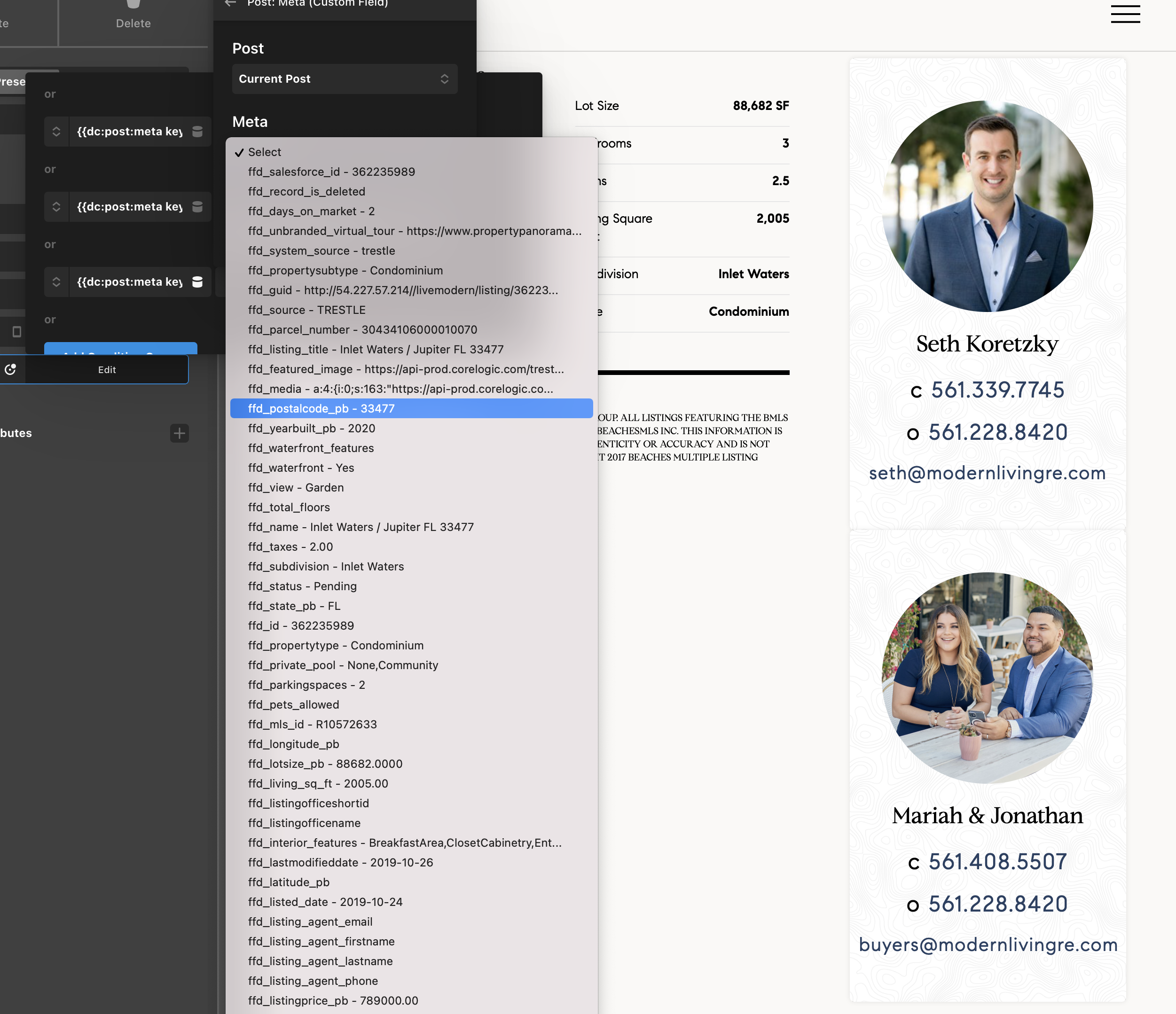
This screenshot shows the conditions I have set for “Seth”. The last condition is set to number expression {{dc:post:meta key=“ffd_postalcode_pb”}} == 33477, and “Seth” is showing as expected.

This screenshot shows the conditions I have set for “Mariah & Jonathan”. The last condition is set to number expression {{dc:post:meta key=“ffd_postalcode_pb”}} != 33477, but “Mariah & Jonathan” are still showing on the page when they should be hidden.

The “Mariah & Jonathan” Global Block is hidden when I delete all the other conditions and only keep the 33477 condition, but I also need it to be hidden if the value != the other postal codes as well. The arguments are set to OR not AND, so I don’t see why I can’t have multiple conditions there.

Hi @marketfresh,

Thanks for the detailed explanation. But it will be very difficult to recognize the reasons behind your issue without investigating through the admin dashboard. I would request you please provide login credentials for your site in a secure note to examine it further, including:

– WordPress Site URL & Login URL
– Specific Layout where you are having this issue.
– WordPress Admin username/password

To create a secure note, click the key icon underneath any of your posts.

Thanks

Secure note added.

Hello @marketfresh,

The given credentials do not work for us. It seems the password is incorrect.

  • Please use “AND” logic since you only want to display the global block when all of the condition returns TRUE.

Hope this helps.

The AND argument is working, but I actually want it to only display when ANY of the conditions are TRUE.
So show Global Block if the ZIP != 33477, or ZIP != 33498, and so on. I still don’t get why it would be an AND argument. But it’s working nonetheless.

Hello @marketfresh,

If you are using an Equal sign, you can use OR logic. Since you are Not Equal, it has to be an AND logic.

Hope this makes sense.

This topic was automatically closed 10 days after the last reply. New replies are no longer allowed.