Pro V2.01 - Header Widget Are Issue

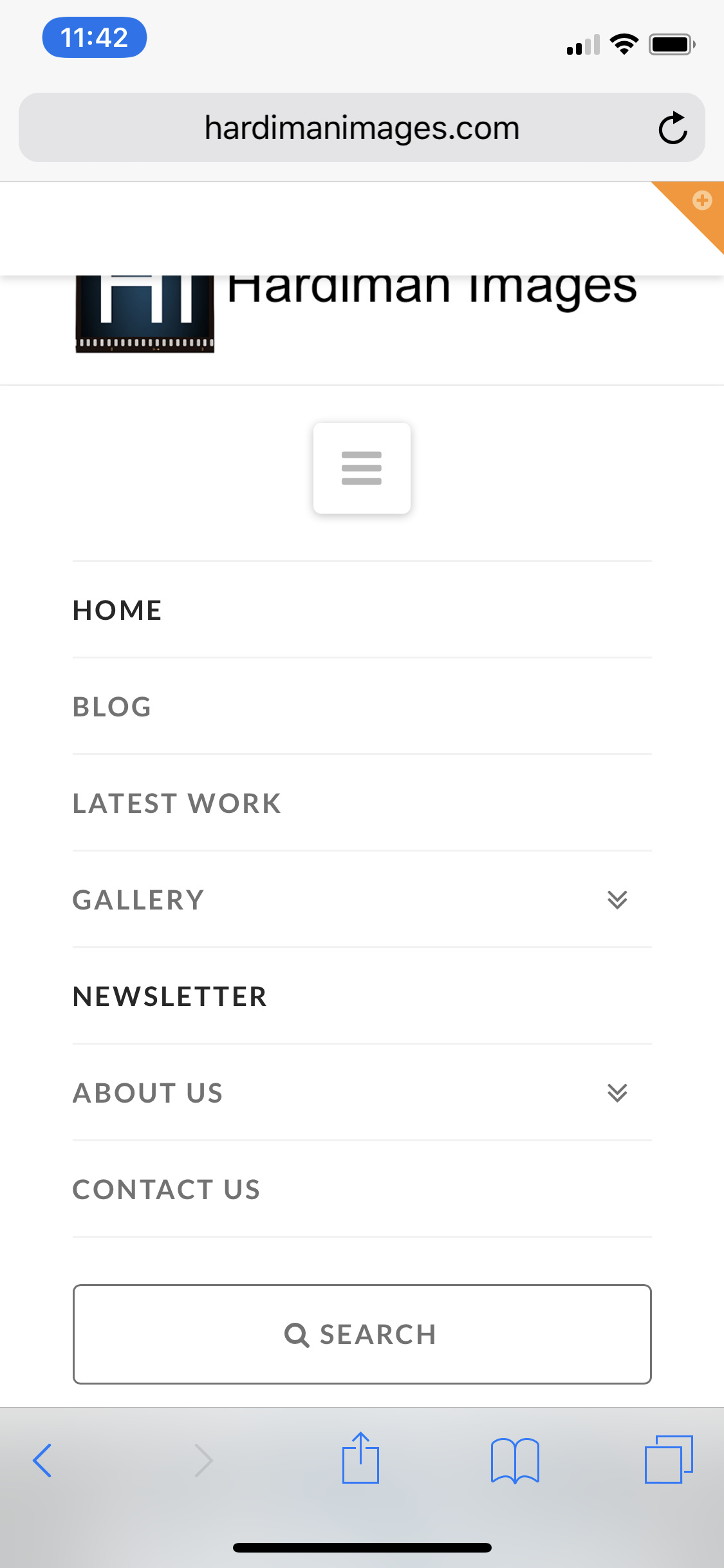
I manually upgraded to v2.01 and immediately had an issue with pages where the WP menu was displayed, not one built in the Header Builder. I have attached an image.

Additionally, on my portfolio page (Latest Work in Menu) the posts do not show - the page is blank.

The URL is --> https://www.hardimanimages.com/portfolio/.
Hi there,

Thanks for writing in.

I just checked and your Portfolio is loading fine, there are items in masonry layout. As for the menu, what should be displayed? I compared it to Admin > Appearance > Menus > Primary Menu and they are both the same in your screenshot. And it’s the same menu in header builder being selected.

Thanks!

Thanks for the response. Concerning the menu, it is not the actual menu that is the issue - sorry I did not explain correctly. It is the widget area above the menu. When it is turned on in “customize” (it is now off to stop the problem) it covers the the menu with a bar that will not go away - take a look at the screenshot.

Concerning the Portfolio, I cleared my browser cache and the items appeared. However, if I click on “Sort Portfolio” and select a tag like Creative, nothing shows until I select a page different than “1”. The pages are not dynamic with the tag selected.

Hello There,

Thanks for writing in!

  • I have re enabled the Header Widgets and it is working perfectly on my browser. I can toggle the icon to display or hide the header widget area.
    – hidden - http://prntscr.com/imbl35
    – displayed - http://prntscr.com/imblun

  • The portfolio page will display 24 items by default regardless of the category. It will display the recent portfolio items that you have added by published date. All in all, you have 70 plus portfolio items and that would have 3 pages when displayed in the portfolio page.

Now out of the 24 items displayed on the page 1 of the portfolio, the portfolio filter will only be used to filter out the items that is displayed on the page out of the 24 items. This is the reason why you only have 0 Creative items in the page 1. In the second page 2, there were 16 Creative items. So 24 items minus 16 Creative items will have 8 more items coming from different categories which is present on the page.

You must understand that the purpose of having the portfolio filter is to filter out the items present on the page alone. It does not display all the items of the categories because most probably the other items will be in the next page.

Hope this explains it briefly.

Thank you for the explanation on the Portfolio. All this time I thought it was dynamic. Concerning the widget header, it is not working at my end. I have tried it on two computers and an iPhone and the widget area is still covering the menu. I have attached a screenshot of the iPhone to demonstrate.

Hello There,

Most probably you are having caching issue. Please clear your mobile browser cache or use incognito mode and test your site again.

Please let us know how it goes.

Thanks again - caching was the issue. Surprised that the upgrade caused this issue with the browser cache. Expect the caching to display old info but not cause this glitch. Thanks again.

You’re most welcome and glad it’s okay now, cheers!

This topic was automatically closed 10 days after the last reply. New replies are no longer allowed.