Hello Tom,
Thanks for posting in!
1.) The gap could be the result of the top margin of the menu. Please check your menu settings and make sure that first dropdown margin is set to zero if you do not want any gaps at all.
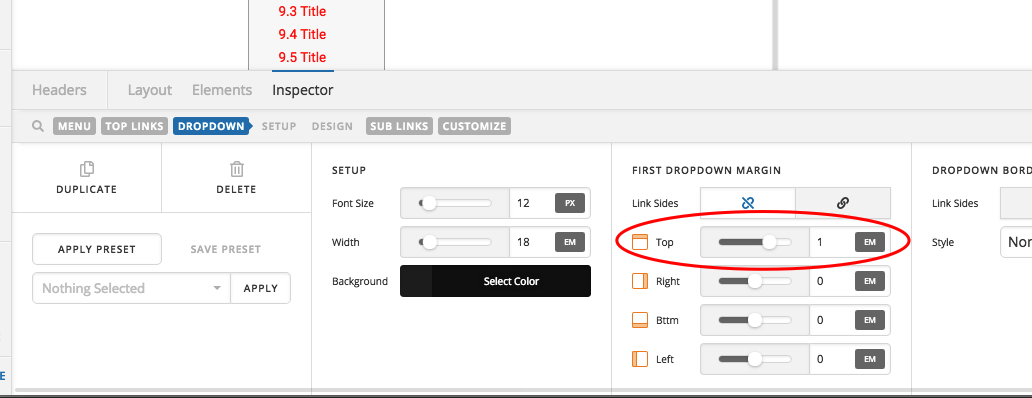
2.) The sub links shows up in about 0.5 seconds which was the default behavior of the submenus. There is no settings to increase or decrease the delay. You can however override it using a custom css. You can make use of this code:
.x-bar .x-menu > li > .sub-menu.x-dropdown {
    opacity: 0 !important;
    visibility: hidden;
    transition: none !important;
}

.x-bar .x-menu > li:hover > .sub-menu.x-dropdown,
.x-bar .x-menu > li:hover > .x-dropdown.x-active {
    opacity: 1 !important;
    visibility: visible;
}
We would loved to know if this has work for you. Thank you.

