Hi Jay,
The SG Optimizer always do that, and it’s not really based on the actual error (false positive). Please check this https://theme.co/apex/forum/t/woocommerce-php-errors-when-updating-to-php7/32411/7. I explained it on that old thread 
That tool is basically flagging this line
setup_postdata( $GLOBALS['post'] =& $post_object );
And just because & is front of $post_object
And I updated the Woocommerce plugin and the code is still the same for \wp-content\plugins\woocommerce\templates\cart\cross-sells.php
<?php
/**
* Cross-sells
*
* This template can be overridden by copying it to yourtheme/woocommerce/cart/cross-sells.php.
*
* HOWEVER, on occasion WooCommerce will need to update template files and you
* (the theme developer) will need to copy the new files to your theme to
* maintain compatibility. We try to do this as little as possible, but it does
* happen. When this occurs the version of the template file will be bumped and
* the readme will list any important changes.
*
* @see https://docs.woocommerce.com/document/template-structure/
* @author WooThemes
* @package WooCommerce/Templates
* @version 3.0.0
*/
if ( ! defined( 'ABSPATH' ) ) {
exit;
}
if ( $cross_sells ) : ?>
<div class="cross-sells">
<h2><?php _e( 'You may be interested in…', 'woocommerce' ) ?></h2>
<?php woocommerce_product_loop_start(); ?>
<?php foreach ( $cross_sells as $cross_sell ) : ?>
<?php
$post_object = get_post( $cross_sell->get_id() );
setup_postdata( $GLOBALS['post'] =& $post_object );
wc_get_template_part( 'content', 'product' ); ?>
<?php endforeach; ?>
<?php woocommerce_product_loop_end(); ?>
</div>
<?php endif;
wp_reset_postdata();
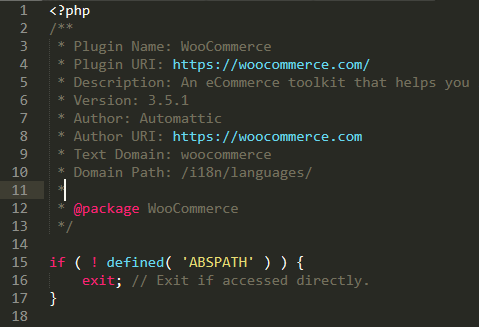
You can verify that by editing the same file of your updated Woocommerce. If that causes a performance issue, then Woocommerce should too even if they moved to 7.2 (since it’s the same file).
And yes, Pro works on 7.0, 7.1, and even 7.2. The recommendation is just 5.6 or greater but not exactly as 5.6.
Thanks!

