Just hopped on my site to make some changes and I’m not able to see any of the Elements choices. They’re just all gone. This has never happened before and I’m not sure what to do to fix it. If I click on an existing element in my page, the choices appear in the window to the left to edit it, but as soon as I click the Elements tab above, everything goes blank and I’m no longer able to see anything in that left panel, even if I try clicking on a new element in my page. Any ideas?
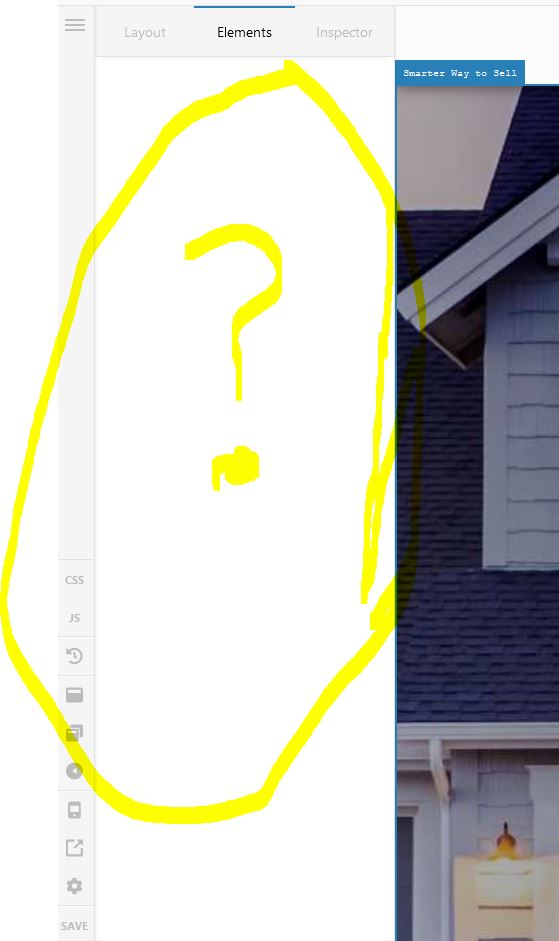
Oh, and I’m running Pro 3.2.3, WP 5.5.3, and just changed PHP version on my server from 6.4 to 7.3, thinking that would solve the problem, but it didn’t.
Hi @jvidamins,
Thanks for reaching out.
There might be several reasons behind your issue, but without investigating your website it is not possible to tell you the exact reason behind it. I still recommend you to troubleshoot a few common issues in this regards.
1.Plugin Conflict
2.Child Theme Related issue ** if you have activated the child theme
3.CSS/JS Customization
4.Disabling Cache
5.Disabling CDN
If you discover that an issue is coming from a custom code or 3rd party plugin, kindly consult with a developer or contact the plugin author. Please note that we do not provide support for custom codes and 3rd party plugins.
If none of the above helps and the issue persists, we need to investigate it thoroughly. I would suggest you upload the files to a server and please provide login credentials for your site in a secure note to examine it further, including:
– WordPress Site URL & Login URL
– WordPress Admin username/password
To create a secure note, click the key icon underneath any of your posts.

Thanks
This topic was automatically closed 10 days after the last reply. New replies are no longer allowed.