Pro: menu width

Here is my staging site using Pro http://staging1.kidsmagicworld.com.au/kids-magician/

see the menu across the top on desktop

I’d like it to appear like this http://kidsmagicworld.com.au/birthday-party-magic-show-sydney/ (which uses another theme)

its width is the same as the content- but I cannot find the setting to do so in pro
also it would be great to get rounded corners

Thank you

Hi There,

The custom CSS below will set the max width for your bar, please add it under The element CSS:

$el {
  max-width: 1000px;
  margin: 0 auto;
}


Let us know how it goes!

This topic was automatically closed 10 days after the last reply. New replies are no longer allowed.

Hi @b960a518-a049-4215-9

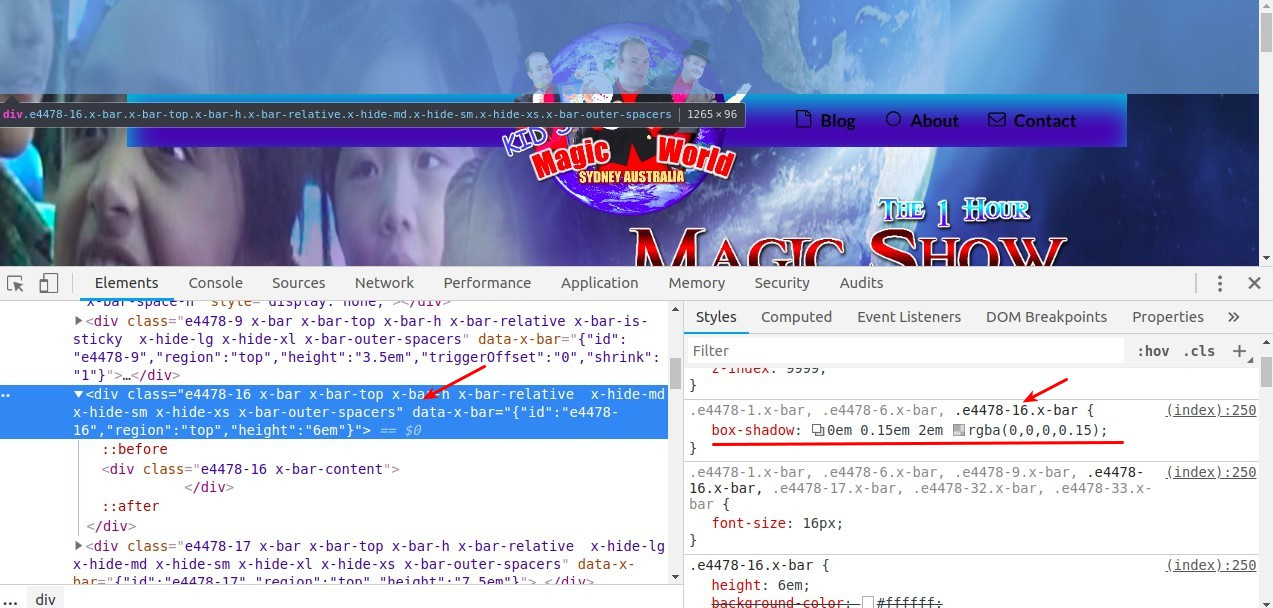
This shadow comes from this bar, it’s an empty bar you have there after the first three bars, I’m not sure why you have an empty bar there? feel free to remove it:

Thanks.

and to get rounded corners on the menu- is there any css for that?

there is an empty bar in there only because it allows the center image to be seen (it pushes down the bar 6 which contains the menus and logo image)
without bar 5’s height the image would appear half off the top of the screeen- I cannot find away to add padding or margin to have a bar appear lower

Hi @b960a518-a049-4215-9,

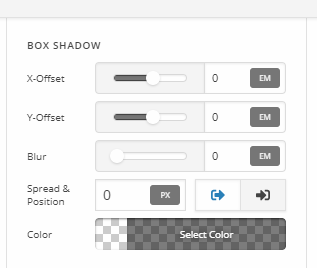
In that case, you can just remove your header bar box shadow and let the empty bar there. The box-shadow value should be at zero.

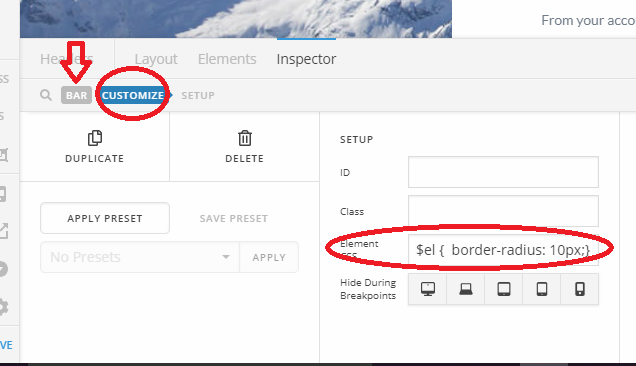
About the rounded corner, looks like the header bar doesn’t have an option for border-radius, so please add this CSS to your header bar’s element CSS.

$el {
  border-radius: 10px;
}

Thanks!

excellent- thank you very much

You’re welcome.