Hi
How do I create jump links in Pro so i can use a bespoke URL to a chosen Row?
Thanks
Steve
Hello Steve,
Thanks for writing to us.
To link section, please follow these steps
- Go to the Section/Row —>Customize —>Add an ID in the section
Please have a look at the given screenshot below.
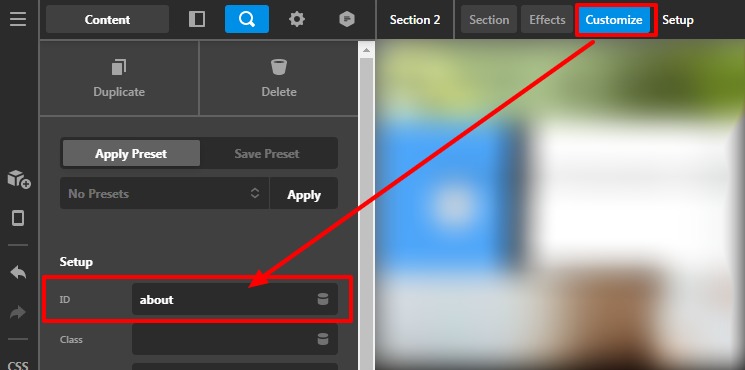
- In case if you are using the WordPress menu then go to the menu add the URL like this
Please have a look at the given screenshot below.

Or in case if you are using any button element or an anchor tag you need to add “#” (#about) before Section/Row ID in the URL field.
Hope it helps
Thanks
Many thanks - works great
Hello Steve,
Glad that we were able to help. Please feel free to reach us if you have any queries regarding our theme and theme settings.
Have a great day!
Thanks
This topic was automatically closed 10 days after the last reply. New replies are no longer allowed.