Pro Header Not Responsive

Hi there. I’m using a header from Design Cloud and while it is responsive when I preview it in the builder, it’s not responsive in real life: http://xcursions.strategiccommunication.biz/

Also, is there any way to make the image responsive as well instead of cutting it off?

Thanks so much!
Hi there,

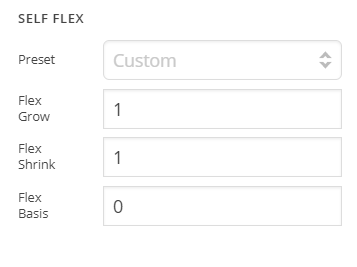
Thanks for writing in! I went ahead and changed the Self Flex from No shrink to a custom value of your header image container and it seems to be working fine now. Please clear your browser’s cache and test the header responsiveness now.

To learn more about flexbox, please refer to the following guide https://css-tricks.com/snippets/css/a-guide-to-flexbox/

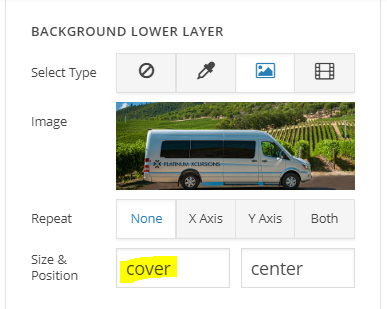
Regarding your other query, that’s the default behavior of background images, however if you want to make it responsive, just change the background Size from cover to contain (see screenshot)

Replace cover with contain

Hope this helps!

Thank you so very much! I really, really appreciate it.

You’re welcome. Glad we could help.

So when I changed the settings from cover to constrain, I get a big white gap above and below the image on mobile. Is there a way to fix this? Actually, there’s a big white gap on non-mobile pages as well.

Also, the mobile menu is not the primary menu. It seems to be a sample menu instead but I don’t know how to fix it. Finally, can you tell me how you changed the Self Flex from no shirnk to a custom value as I need to do it on the other menus. I just don’t know where to find that setting for the header.

Whew. Thank you in advance.

Hi again,

Regretfully this is the default behavior of the background images, you should use the Image element instead, that should work fine in your case.

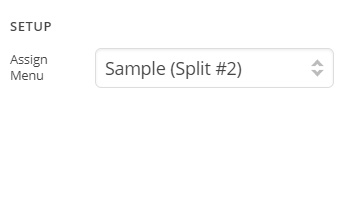
To change the mobile menu go to Pro > Headers then edit your header, inspect Navigation Dropdown element and simply assign a menu (see screenshots)

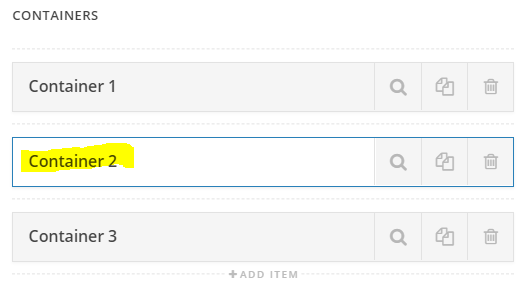
To change the self flex value, inspect your container (see screenshot)

Then simply change the Self Flex value either from dropdown or you can input a custom value like a did for your header (see screenshot)

Hope this helps!

Great. I have all of that working. Last issue (I hope) is that the first section on every page is under the header and it cuts off either the text or the first image. How do I fix that? Thank you for your infinite patience.

Lorie

Hi @Lorie,

I would like to suggest a CSS however I believe that it would be best that you will add margin-top to your first section on every page than adding CSS so that it will not ruin other page.

Hope it helps.

Let us know how it goes.

Thanks.

This topic was automatically closed 10 days after the last reply. New replies are no longer allowed.