Hi there,
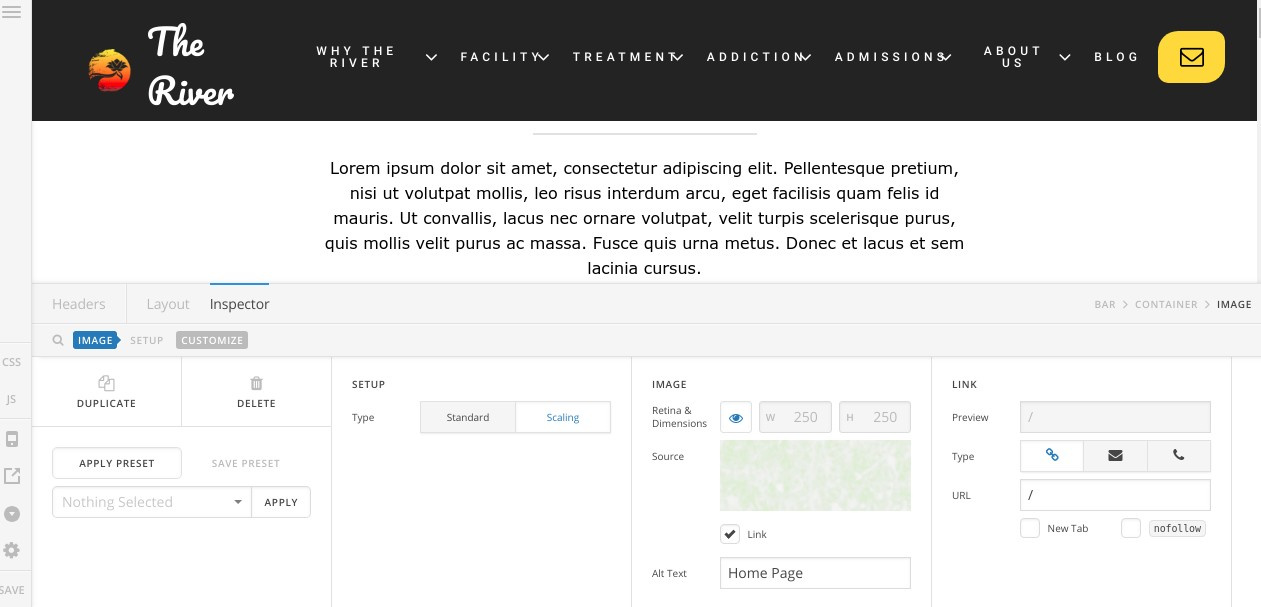
Strange issue, I am creating a new website, when I view the SITE Header in the header editing it shows fine.
BUT when I go to edit it, it disappears. (i.e. background / all elements are there (blue boxes when I hover) I just cannot see any of them to edit them.
From hours of looking around, I noted that if I switch the SITE header Bar 1 position to be ‘Relative’ instead of ‘Absolute’ they are displayed, but looks like a bug in the editor.
No idea why this is happening, but it means I cannot edit the headers…
I will add site details shortly.
NOTE
I have 2 site headers.
- Home Page header
- Site Header (is a copy of Home Page header) with 2nd bar removed
**Extra information which may be relevant.
- I am seeing that pages are slipping behind the header. e.g. /contact-us - I think this might be related.