We built our site footer in Pro, and one of the bars is suddenly not showing up. The footer is set to global. Please advise why the footer bar stopped displaying on our site. https://ranchhousedesigns.com/
Hi There,
Please check the Hide During Breakpoints option of that bar:
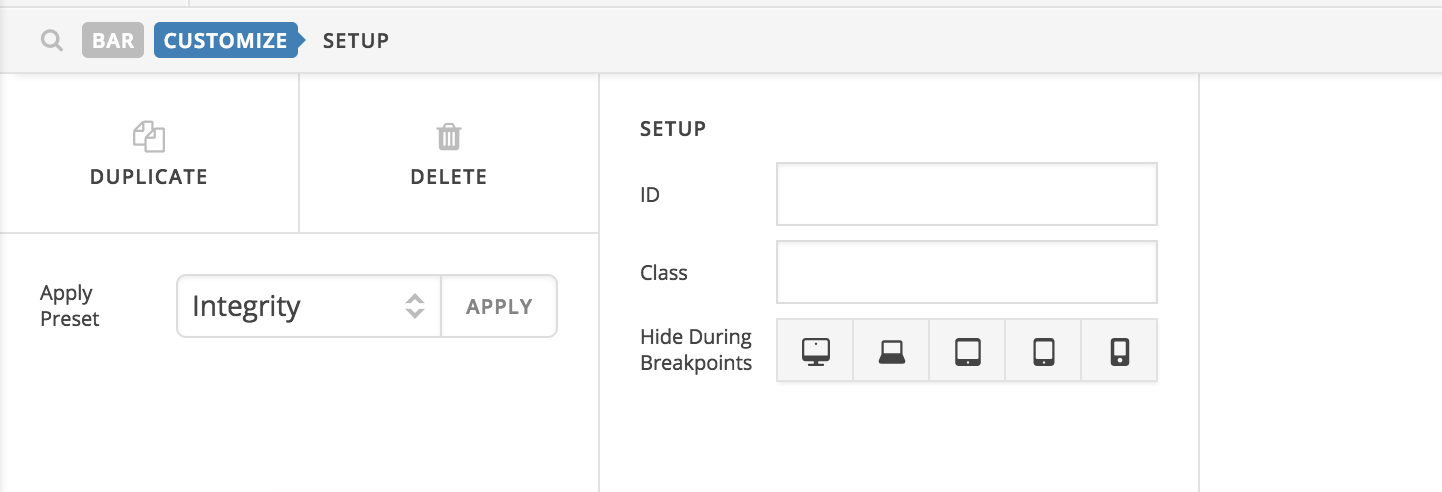
Let us know how it goes!
Hi Thai. That’s not the issue. We have 2 bars. One that is set to display on desktops and hide on mobile devices. And then a mobile version that is set to display on mobile and hide on desktops. The footer has been working fine for months and then suddenly disappeared. Please advise.
Hi there @ranchhouse,
Thanks for writing in! I’ve taken a look at the site and see a hidden bar set to hide globally through the use of the x-hide-xl class.
I don’t however see another bar apart from that one hidden bar mentioned above, would it be possible for you to include some WP Admin Login details in a secure note please and I’ll take a look at the footer setup.
Thanks!
Hi Jack that would great if you could take a look at the settings for us… The footer worked great for several months.
Hi there,
I’ve taken a look and noticed there are a few HTML syntax errors. This wouldn’t be easy to catch in the live preview, since the document is dynamically created in javascript, but on the front end it could cause certain HTML elements to not close. This in turn makes your additional bars children of the first bar, which ultimately can’t render properly.
Here are the two syntax errors I’m seeing:
1. If you click the “EVERYBODY” text element, you’ll see this
EVERYBODY<br Sign up for our newsletter.
You may just need to remove everything after <br since it looks like you’re just showing the rest of that statement in the button.
2. In the contact info, you have this:
<a <a href="mailto:
Removing the first <a should fix it.
You’ll want to do this for both the desktop and mobile versions. Let us know if that gets things working again. If it’s always been this way, I’m not really sure what would cause it to start behaving differently all of a sudden, but at least by clearing up the HTML errors we’ll be in a better place to see if anything else is incorrect.
Hi Alexander. Thank you for looking into this for us. I’ve corrected those two errors. Unfortunately, the footer is still not showing.
I checked and there was still one more unclosed <br> in the mobile text. I removed that and it’s working ok now.
This topic was automatically closed 10 days after the last reply. New replies are no longer allowed.