Pro Footer & Headlines - Text Color

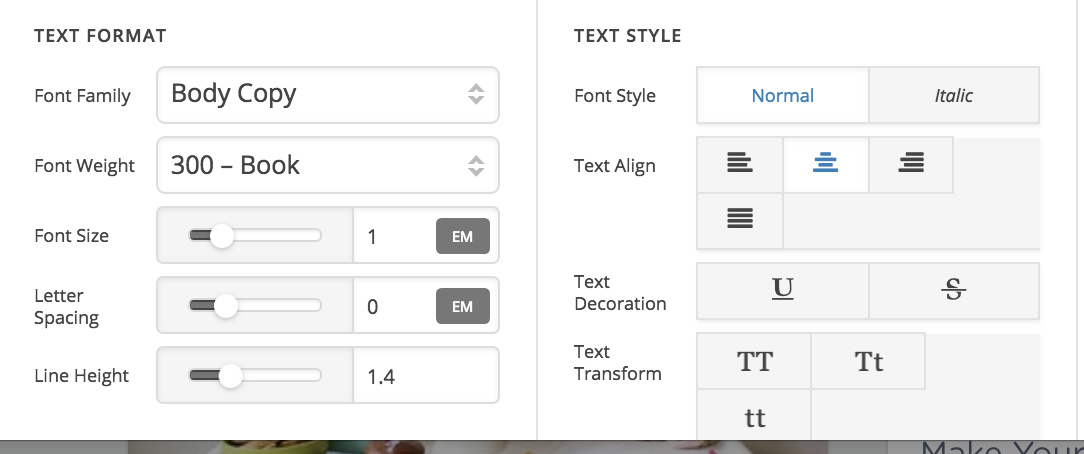
When I’m in the Pro footer builder, advanced mode, using a headline element, I don’t see any way to change the color of the text.

When I switch advanced mode off, that’s when I can see “Base colors” for text and background.

Is this a mistake? Otherwise why can I only change the color of the text when I’m not in advanced mode?

I’m on the latest version of Pro 2.1.1

Hi,

Thanks for writing in!

Can you provide us a screenshot of what you are referring to.

The headline element has no advanced mode and you can change the text color under text style.

See screenshot

Oh… This is what I see, and there is no way to scroll down:

Now that I know where to look, when I zoom in or out (browser zoom), The text transform options move to all be on one line, and I can then see the text color box. But I was baffled because it wasn’t there. Thanks-

Thanks for sharing that screenshot. I’m unable to reproduce this however. Could you try clearing your browser cache to see if that makes a difference? Also, would you mind letting us know what browser it’s occurring in?

Mac Chrome… all software up to date. Clearing the cache does not fix it.

Hi,

Would you mind providing us with login credentials so we can take a closer look? Please provide following information:

Set it as Secure Note

  • Link to your site
  • WordPress Admin username / password

Thanks

This topic was automatically closed 10 days after the last reply. New replies are no longer allowed.