When I try to open and edit a page in Cornerstone, I’m being logged out and presented the Wordpress login popup. I’ve contacted my hosting provider and they think the issue is with redirect logic within the Cornerstone plugin.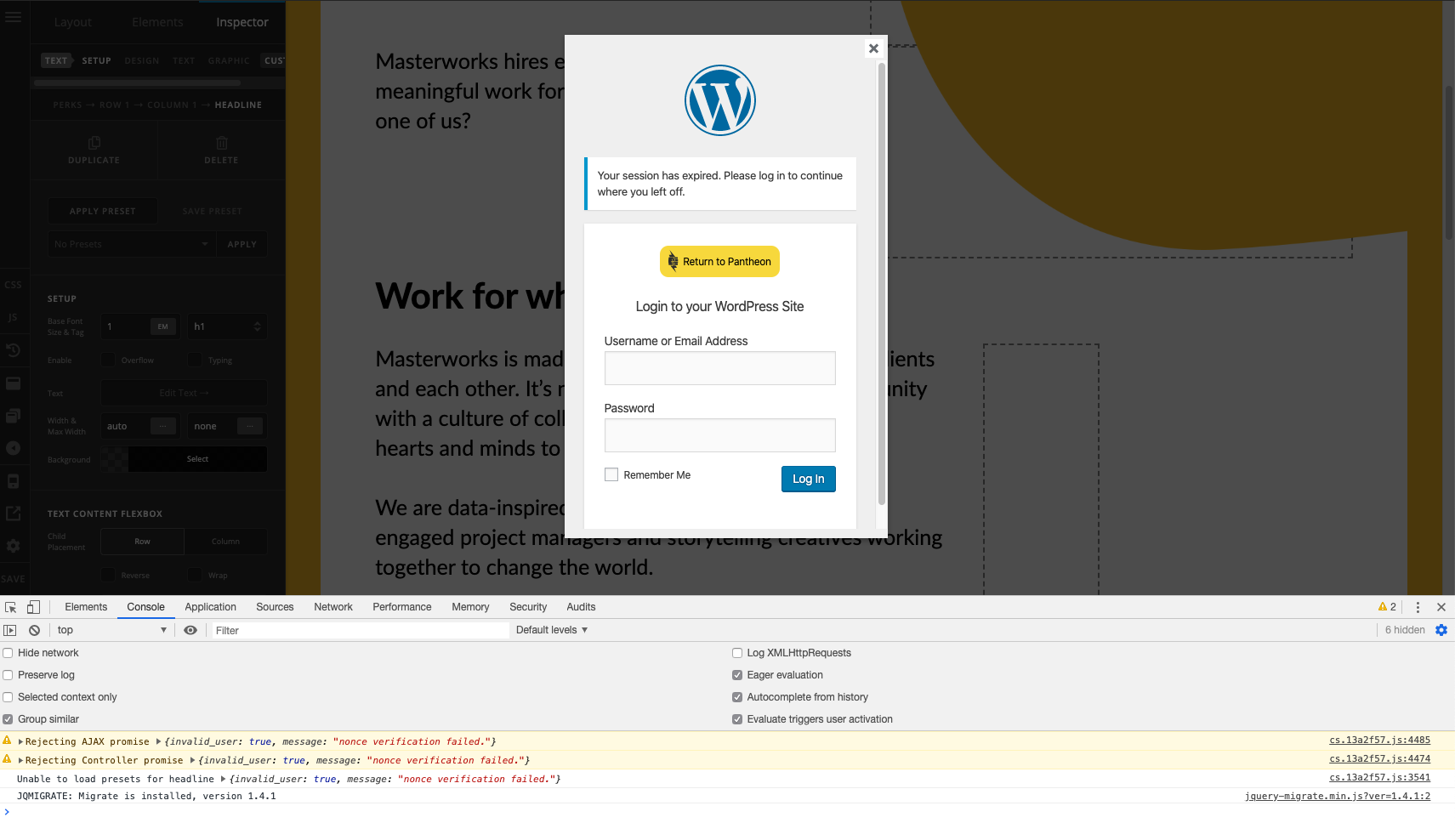
Hi @blewisb,
The root cause of the issue can be a plugin, htaccess, customization or a salt key. Please check below how to troubleshoot.
Plugin - You could try testing for a plugin conflict. You can do this by deactivating all third party plugins, and seeing if the problem remains. If it’s fixed, you’ll know a plugin caused the problem, and you can narrow down which one by reactivating them one at a time.
Htaccess - There might be a problem in your .htaccess setup. Please try resetting your htaccess file in the root folder of your WordPress installation by renaming it to .htaccess-bak. Then in WP Admin Menu, go to Settings > Permalinks and just click the Save Changes button so WordPress will generate the default htaccess setup.
If your server doesn’t support htaccess, you’ll need to contact your web host to investigate the issue. They’re the one who will be able to investigate this because they have access to server controls.
Customization - Try to switch from child theme to main X theme. Check the issue if it exist.
Salt Keys - Please try to set new keys in wp-config from https://api.wordpress.org/secret-key/1.1/salt
Let us know how it goes!
This topic was automatically closed 10 days after the last reply. New replies are no longer allowed.