Hi there, just upgraded an old X installation to Pro, and I can’t seem to find some of the controls now. Spcifically the advanced background settings. Any idea where I might find them?
Hi Ken,
Thanks for reaching out.
It’s probably turned off since it’s off by default in X theme. Please enable the Advanced Mode by clicking the Cog icon within the builder and turn it on from the preference section.

Then other advanced options should appear.
Thanks!
Hey thanks for the reply, I actually had the advanced mode on prior to upgrading to pro, so it’s not that. I even tried turning them off and back on again, but no such luck. The controls are still the same as in X. Any other thoughts on what the solution might be?
Just a quick update, when I created new sections, the controls were present, however, still not there in the existing sections, so I’m just recreating everything.
Cheers
Ken
Hi Ken,
Is there a chance that your existing sections are Classic Sections? If so, then yes there is no other way around to get those advance control but to recreate those classic sections to be a new Section.
- Classic Section:
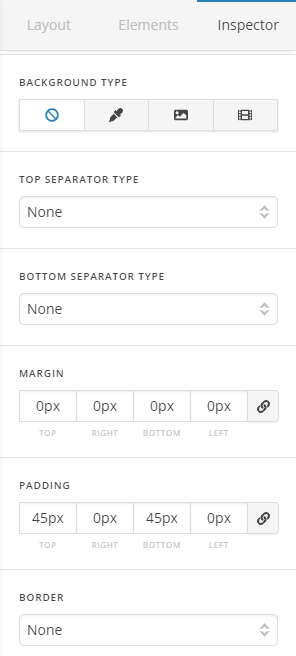
You can add a classic section by holding down theCtrlkey and pressing the add section in the builder/Cornerstone.
. - Section (also called v2 section):
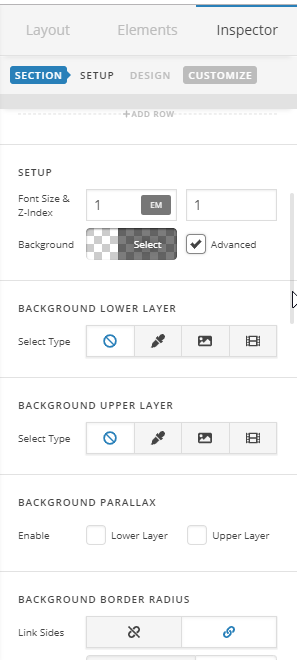
This is the one that has the Advance control
Hope this shed some lights,
Cheers!
This topic was automatically closed 10 days after the last reply. New replies are no longer allowed.